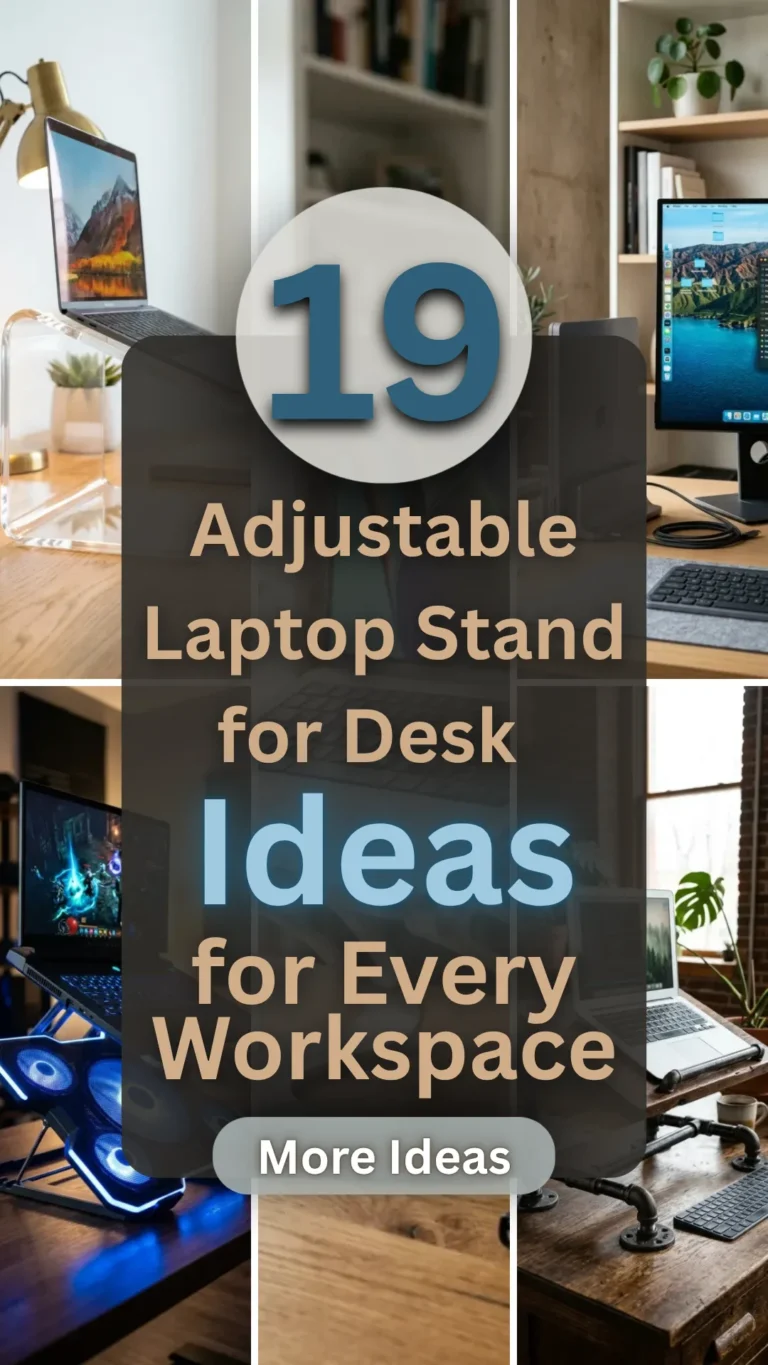

In the modern era of remote work and digital nomadism, the laptop has become our primary portal to the world. However, spending hours hunched over a flat surface is a recipe for neck strain, back pain, and long-term postural issues. An adjustable laptop stand is no longer just a luxury; it is an essential ergonomic tool that transforms any desk into a high-functioning workstation.
Whether you are looking for a sleek aluminum riser to match your MacBook, a rustic wooden stand for a cozy home office, or a heavy-duty mechanical arm for a dual-monitor setup, there is a design out there for you. Elevating your screen to eye level improves your posture, increases airflow to your device, and reclaims valuable desk real estate. Here are 19 adjustable laptop stand ideas to revolutionize your workspace.
1. Aluminum Riser
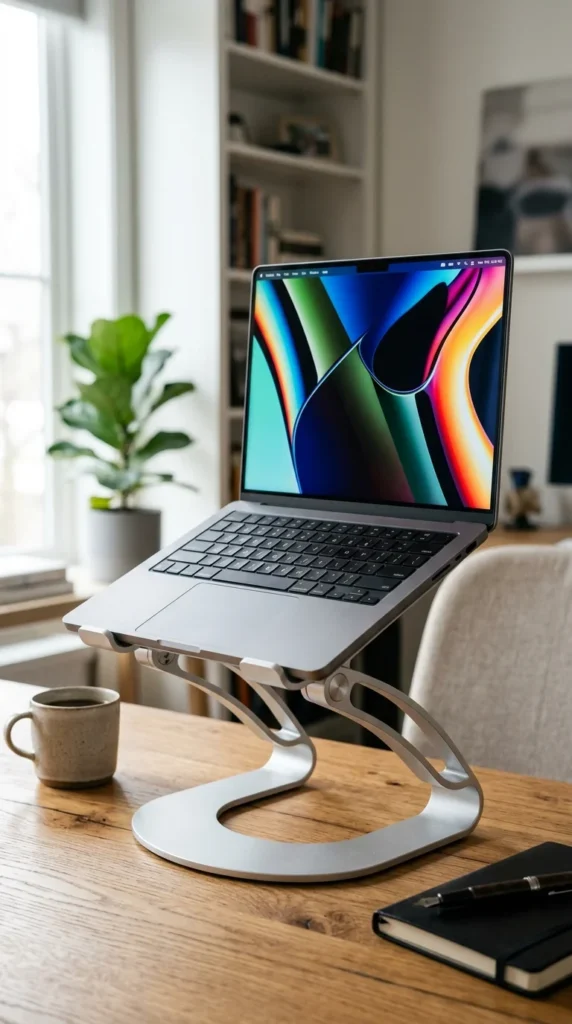
The classic aluminum riser is the gold standard for modern offices. These stands are typically crafted from aircraft-grade aluminum, providing a lightweight yet incredibly sturdy base for your machine. The adjustable hinges allow you to tilt the keyboard or raise the entire unit several inches off the desk. Because aluminum is a natural heat conductor, these stands also help keep your laptop cool during intensive tasks like video editing or gaming.
2. Bamboo Wood

For those who want to bring a touch of nature into their digital environment, bamboo stands are an excellent choice. Bamboo is sustainable, durable, and offers a warm aesthetic that metal simply can’t replicate. Many bamboo models feature adjustable notches on the legs or a tilting top plate with built-in slats to prevent your laptop from overheating. It’s the perfect blend of organic beauty and functional engineering.
3. Vertical Dock
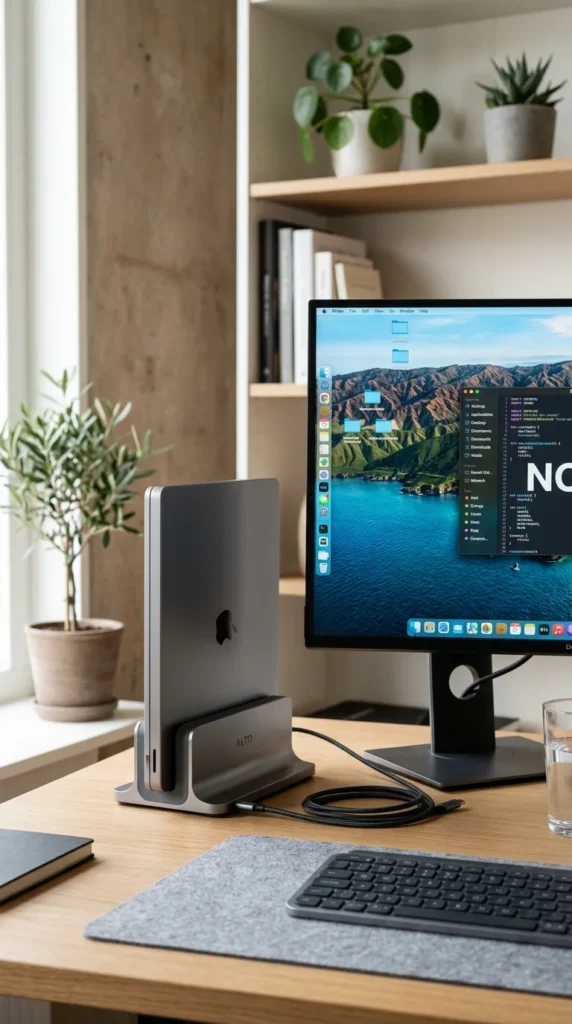
If you primarily use your laptop with an external monitor, a vertical adjustable dock is a game-changer. Rather than taking up a large footprint on your desk, the laptop sits upright in a “clamshell” mode. The adjustable width of the slot ensures a snug fit for everything from a thin Ultrabook to a thick gaming laptop, freeing up space for your mouse, keyboard, and morning coffee.
4. Invisible Adhesive
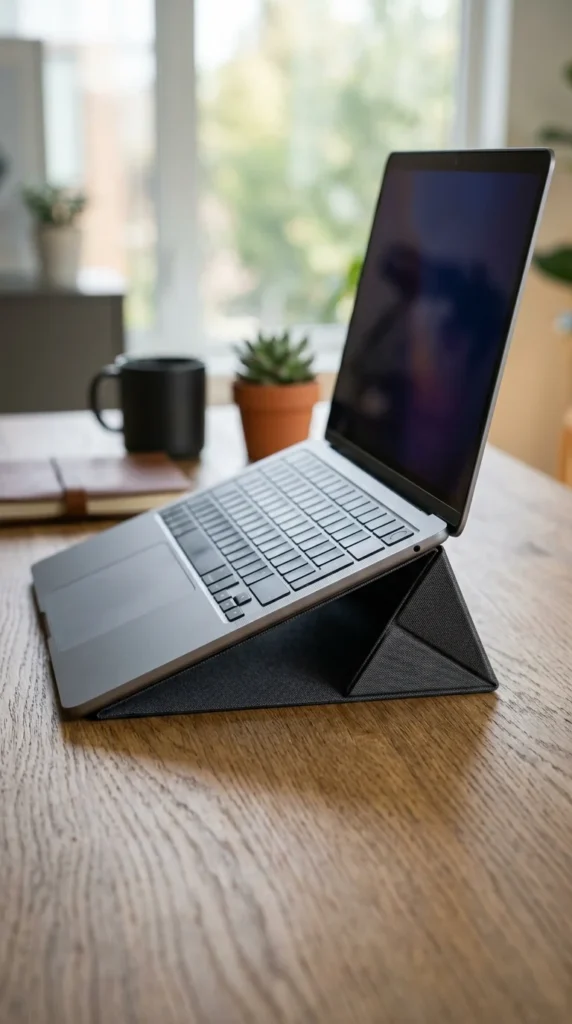
Ideal for the traveler, the “invisible” stand is a thin, foldable sheet that adheres to the bottom of your laptop using a non-residue adhesive. When not in use, it lays completely flat, adding virtually no bulk to your device. When you need it, it folds out into a sturdy triangular support that provides two different height levels, ensuring you have ergonomic support even at a coffee shop or in an airport lounge.
5. Industrial Pipe

For a workspace with a “maker” or steampunk vibe, an industrial pipe stand offers unmatched character. Often DIY or artisan-crafted, these stands use heavy-duty iron pipes and joints to create a rigid, adjustable frame. You can often swivel the platform or adjust the height by loosening the threaded joints, making it one of the most durable and unique options on this list.
6. Ergo-Arm
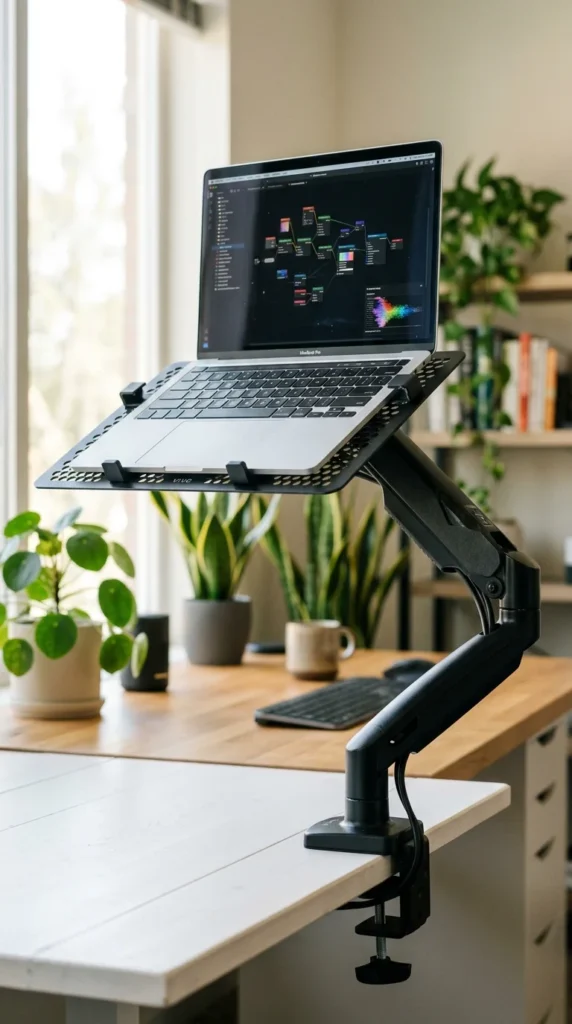
If you want total freedom of movement, a gas-spring ergonomic arm is the way to go. These stands clamp to the side of your desk and allow you to move your laptop in three dimensions. You can pull it closer, push it away, tilt it, or raise it so high that you can use it while standing. It’s the ultimate solution for a dynamic workspace where you need to clear your desk surface frequently.
7. Cooling Fans
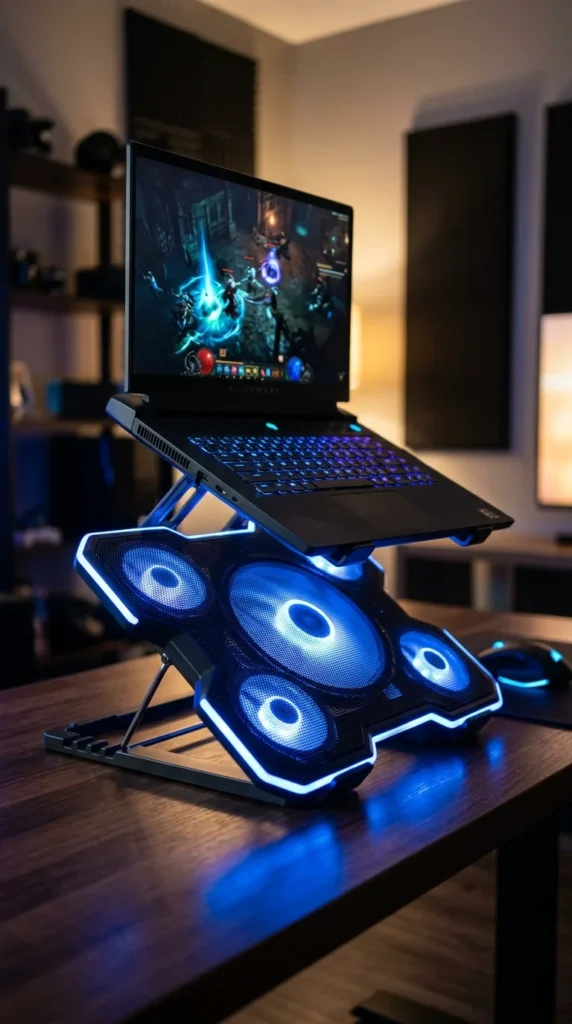
Heavy users—especially gamers and graphic designers—know that heat is the enemy of performance. A laptop stand with integrated cooling fans solves two problems at once: ergonomics and thermal management. These stands usually feature adjustable height pegs and a USB-powered fan array that blows cool air directly into your laptop’s intake vents, preventing throttling during intense sessions.
8. Solid Oak
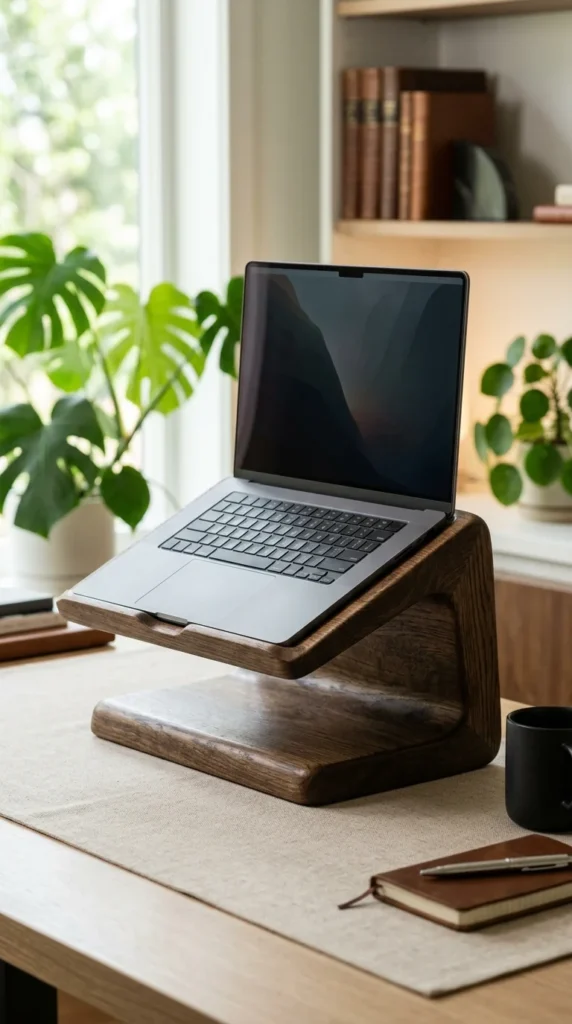
For the executive office, a solid oak stand exudes luxury and permanence. Unlike cheap plastic or thin metal, a solid wood stand has a satisfying weight that prevents it from sliding around. Many premium versions include adjustable leather-lined clips to hold the laptop securely without scratching the finish, making it a statement piece for any high-end desk.
9. Sit-Stand Converter

If you aren’t ready to commit to a full standing desk, an adjustable converter is the perfect middle ground. These large stands sit on top of your existing desk and use a scissor-lift mechanism to raise your entire workstation—laptop, mouse, and keyboard—to standing height. They are incredibly stable and allow you to switch between sitting and standing in seconds.
10. Acrylic Transparent

Acrylic stands are perfect for small spaces where you want to minimize visual clutter. Because they are transparent, they don’t “block” the view of your desk, making the room feel larger and more open. Many modern acrylic designs feature adjustable metal tension hinges that allow you to change the angle while maintaining a clean, futuristic aesthetic.
11. Travel Folding
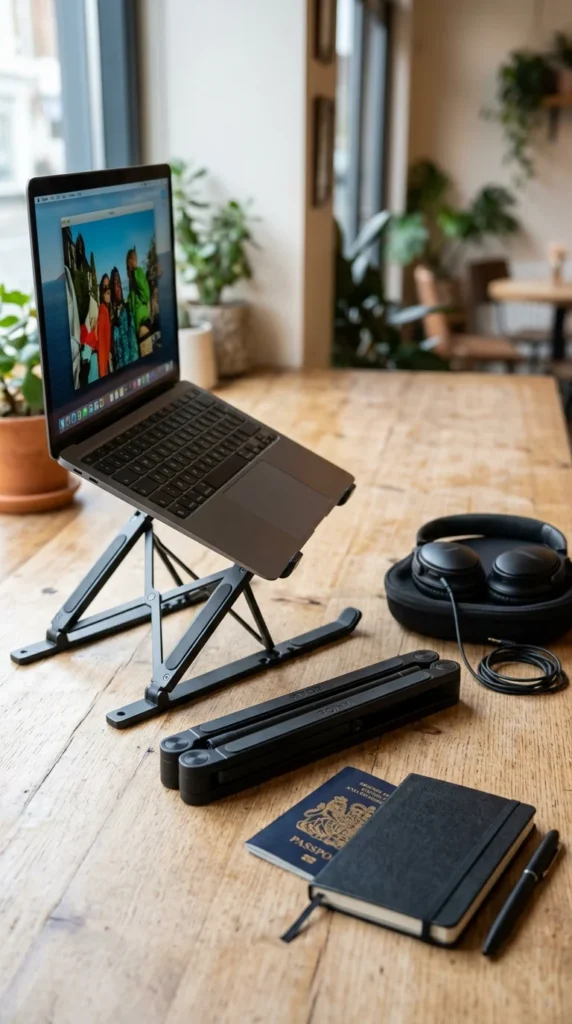
Weight is the enemy of the frequent flier. Travel folding stands are designed to collapse into a shape no larger than a folded umbrella. Made from carbon fiber or lightweight alloys, these “X-frame” stands can be deployed in seconds to raise your screen to eye level at a hotel desk or a co-working space, then tucked away into your backpack without a second thought.
12. Bed Tray

Sometimes the best workspace isn’t a desk at all. For those “work from home” days that start in bed or on the couch, an adjustable bed tray is essential. These stands feature telescopic legs that can be adjusted to clear your lap and a tilting top that allows you to type comfortably while reclining. Most even include a dedicated flat area for a mouse or a morning snack.
13. Monitor Riser Combo
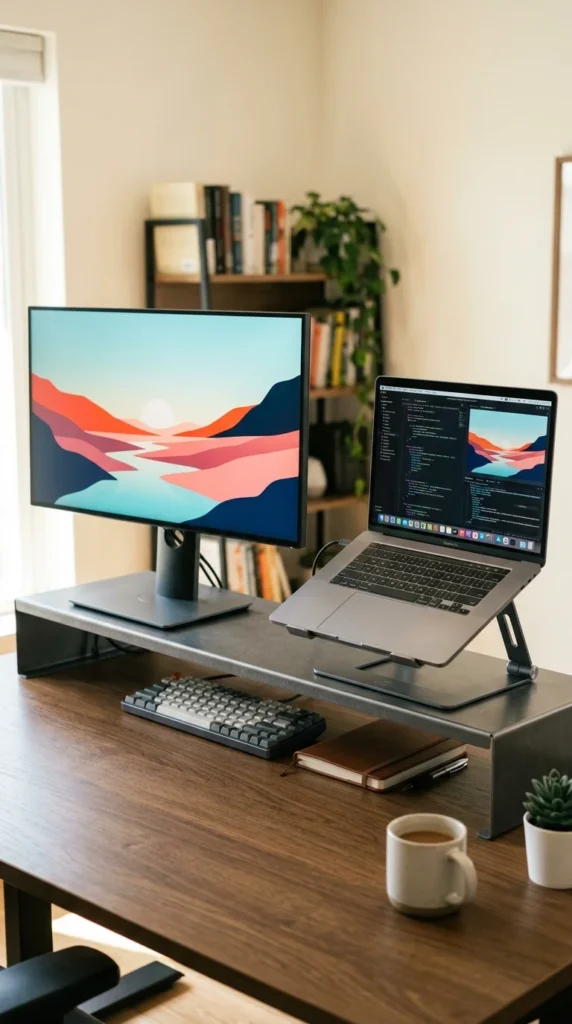
If you use your laptop alongside a secondary screen, a combo riser helps align the two displays perfectly. These stands are usually wide platforms that sit on the desk, featuring a built-in adjustable tray specifically for the laptop. This setup ensures that your neck isn’t constantly twisting between different heights, creating a seamless dual-screen experience.
14. Minimalist Wire

Simplicity is the ultimate sophistication. A minimalist wire stand uses tension and clever geometry to support your laptop. While they offer fewer “moving parts” than mechanical arms, many wire stands are designed with flexible segments that can be slightly bent or adjusted to fit different laptop sizes. They provide maximum airflow because there is almost no surface area blocking the vents.
15. Gaming Hub

For the gamer who needs more than just a lift, a gaming hub stand acts as a docking station. These adjustable stands feature built-in USB-C ports, HDMI passthroughs, and vibrant RGB lighting that can be synced with your PC. The height adjustment is usually reinforced to handle the extra weight of heavy 17-inch gaming rigs.
16. Swivel Base

In collaborative environments, being able to share your screen is vital. A swivel-base stand allows you to rotate your laptop 360 degrees with the touch of a finger. These are particularly popular in creative agencies or for professionals who often have “quick syncs” with colleagues. The height remains adjustable via a central telescopic pole or a dual-hinge system.
17. Leather Inlaid

When aesthetics are just as important as function, a leather-inlaid stand provides a touch of class. The leather provides a soft, non-slip surface that protects the underside of your laptop while adding a sophisticated texture to your desk. These stands often use a heavy metal frame with “friction hinges” that allow you to set the angle exactly where you want it without the need for knobs or levers.
18. Z-Shape Stand
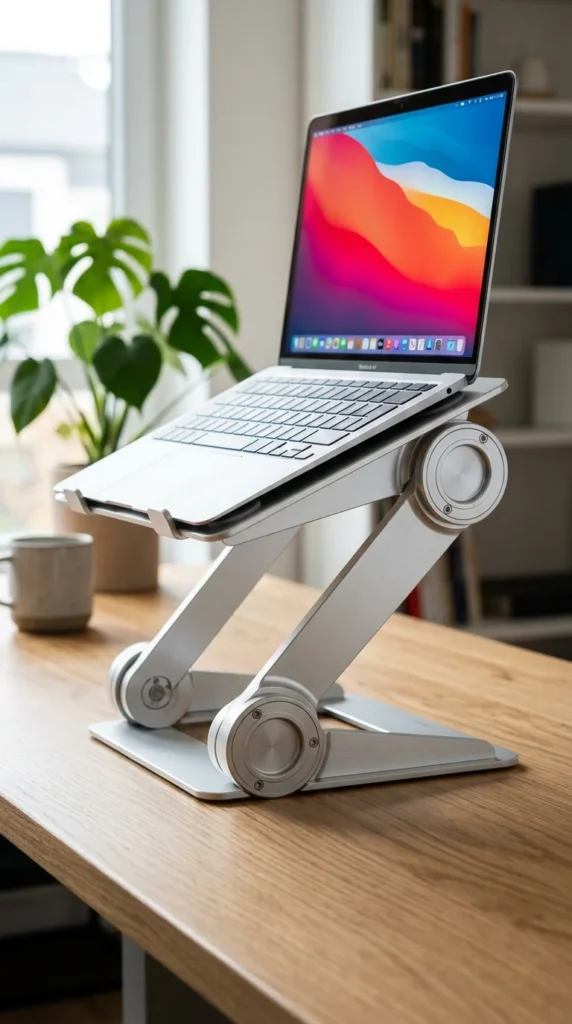
The Z-shape design is perhaps the most versatile of all fixed stands. With two points of articulation, you can adjust both the height and the angle of the laptop independently. This means you can raise the screen to eye level while keeping the keyboard at a comfortable angle for typing, or raise it even higher if you are using an external keyboard. It’s the “Swiss Army Knife” of laptop stands.
19. Magnetic Stand
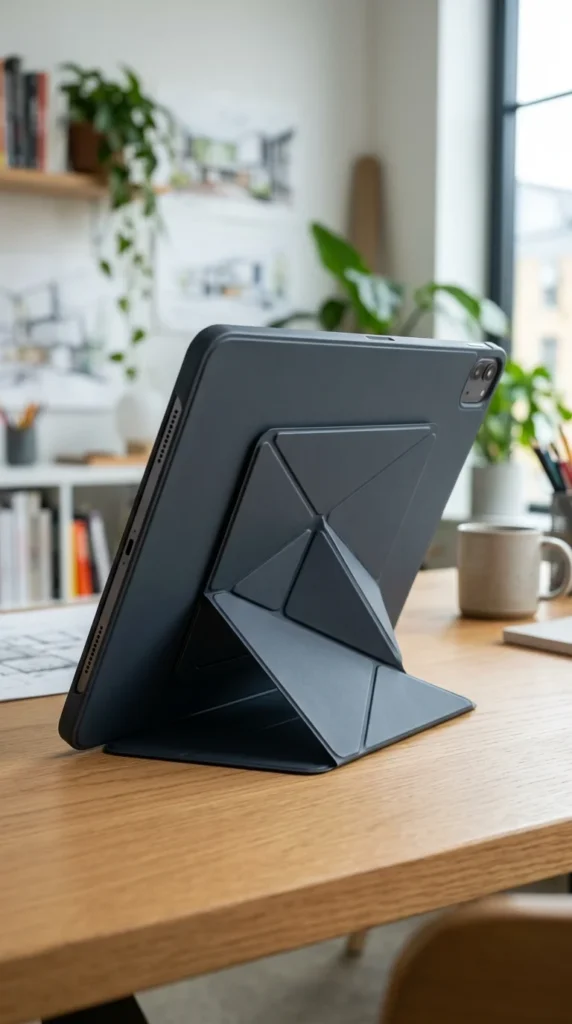
Primarily designed for modern 2-in-1 laptops and tablets, magnetic stands offer a seamless “snap-on” experience. These stands often use the same magnetic principles as tablet covers but are reinforced to handle the weight of a laptop. They are incredibly thin and allow for quick transitions between a traditional desk setup and a handheld tablet mode, making them perfect for the versatile digital artist.
Conclusion: Finding Your Perfect Angle
Choosing the right adjustable laptop stand is about more than just height; it’s about creating a workspace that supports your health and productivity. When selecting your stand, consider your primary work location, the weight of your device, and whether you use an external keyboard.
By investing in one of these 19 ideas, you aren’t just buying a piece of desk hardware—you are investing in your long-term physical well-being. Elevate your laptop, and you’ll find that your focus and comfort follow suit.