
Few desk problems are as tiring as window glare. For an hour in the morning or afternoon, your screen turns into a mirror, text washes out, and you find yourself leaning sideways or squinting at reflections instead of working. Many people respond by closing the curtains completely, which kills the glare but leaves them working in a gloomy box all day.
Glare is a geometry problem, and geometry can be changed. This guide explains why window light reflects on your screen, the desk layout that prevents most of it, and the curtain and blind options that soften sunlight without shutting out the daylight that makes the room pleasant to work in.
Quick Answer
To fix window glare on your screen, place your desk so the window is to your side, at roughly ninety degrees to the screen. If the window stays behind you, it reflects in the screen; if it faces you, it strains your eyes. Add sheer curtains or adjustable blinds to soften direct sun, tilt the screen slightly, and match the screen brightness to the room.
- Window to the side is the layout that prevents most glare.
- A window behind you reflects off the screen like a mirror.
- Sheer curtains cut glare while keeping the room bright.
- Small angle changes often fix glare without moving furniture.
Why Glare Happens: Two Different Problems
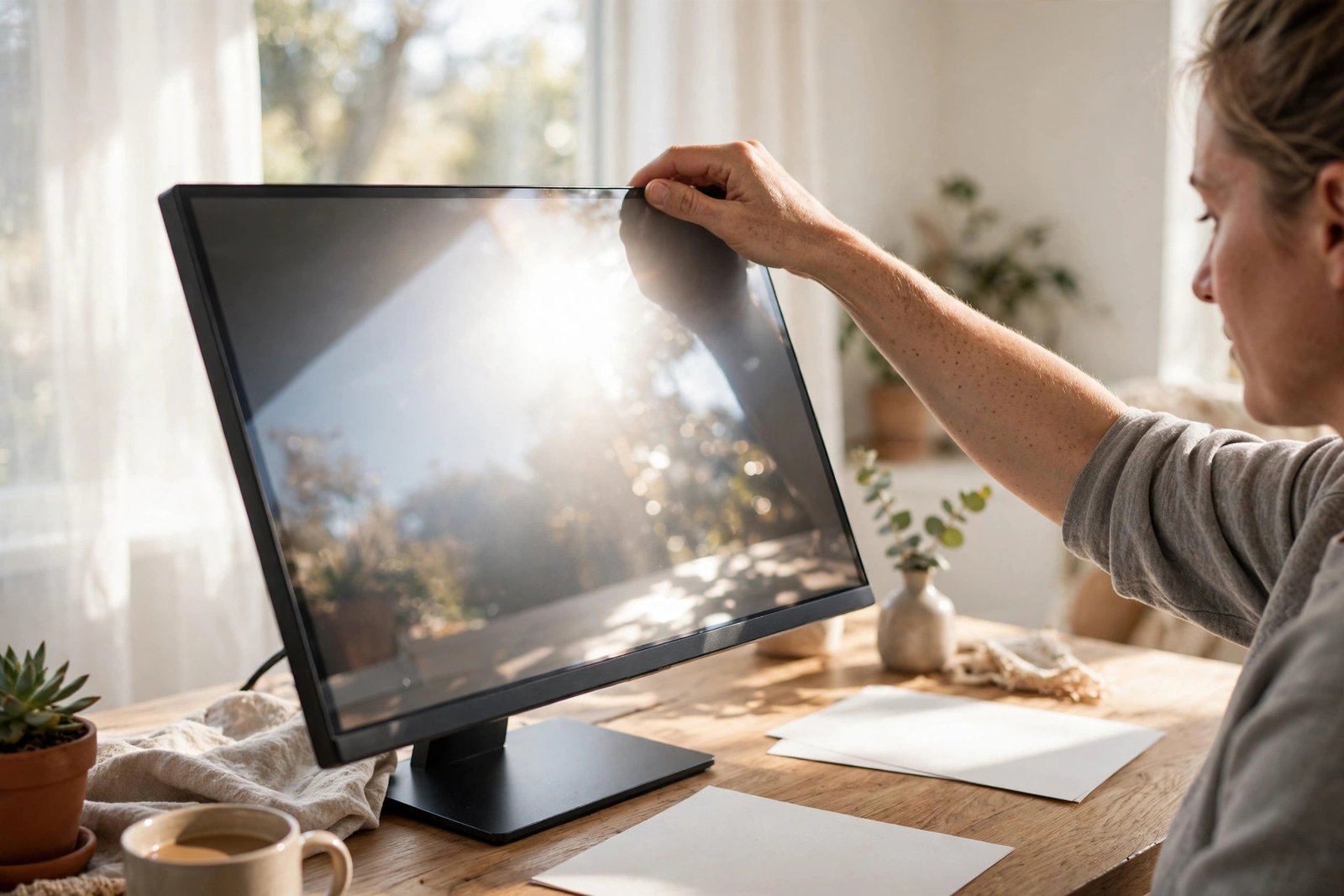
The first problem is reflection. A window behind you, or behind and above you, throws bright light onto the screen surface, and the screen reflects it back at your eyes like a weak mirror. You see the bright window shape instead of your work, and the darker the screen content, the worse the reflection looks.
The second problem is contrast. A window in front of you, behind your screen, does not reflect, but your eyes must cope with a very bright background and a much dimmer screen at the same time. They adjust to the window, your screen looks dull and grey, and eye strain builds through the day. The fixes differ slightly, but both start with the same layout change, so try that first.
The Layout That Works: Window to the Side
The classic advice exists because it works: sit so the window is on your left or right. Light comes across the desk, lights your papers and keyboard pleasantly, and neither reflects in the screen nor shines into your eyes. If you write by hand a lot, put the window on the opposite side to your writing hand so your hand does not shadow the page.
In a small room this may mean turning the desk ninety degrees so it stands along the wall under or beside the window, rather than facing into the room or backing onto the window wall. Our step-by-step for a small home office in a corner shows how a side-on desk fits even in tight corners. Before moving heavy furniture, test the position with the chair and laptop only, at the worst glare hour of the day.

If You Cannot Move the Desk
Sometimes the room decides for you: the only wall has the window behind it, or the desk is built in. Then work with angles. Turn the monitor a few degrees to the side and sit slightly angled with it; a small rotation changes the reflection completely, the same way tilting a mirror does. Tilt the top of the screen slightly forward or back to throw the reflection below or above your eye line.
Also try moving the screen, not the desk. Shifting the monitor half a metre along the desk can move the window’s reflection off the glass entirely, especially if part of the window is covered by a wall section or bookcase from the screen’s point of view. Sit in your working position and move the screen slowly while watching the reflection; you will see it slide away.
Curtains and Blinds That Soften, Not Darken
The goal is to break up direct sunlight, not to block daylight. Sheer or voile curtains are the simplest tool: they scatter the sun’s beam so it stops reflecting as a sharp bright shape, while the room stays light. They are cheap, fit on a tension rod or the existing curtain track, and for many desks they are the whole solution.
Adjustable blinds give you control through the day. Horizontal blinds tilted upward bounce light to the ceiling and cut the direct beam while keeping the room bright. Vertical blinds suit wide windows and sliding doors. If only one hour of the day is a problem, a blind or sheer on just the half of the window in line with your screen may be enough, leaving the rest open. If softening the light tips your room into gloom, the balance tips in our guide to a home office that feels dark even with the lights on will help you add the light back in the right places.
Screen Settings and Small Hardware Fixes
Raise the screen brightness to match the room. A screen set for evening use cannot compete with daylight, and half of what looks like glare is simply a dim screen losing to a bright room. Most monitors also have a matte finish option in how they are angled and lit; if your screen is glossy and the room is very bright, a matte screen protector film can take the mirror edge off reflections, though it slightly softens the image.
Position the screen so its surface is vertical or tilted very slightly. A screen leaning back catches ceiling lights and high windows; leaning far forward catches the desk and your own bright clothing. Wear darker tops on bright days if your screen sits low, since a white shirt reflects surprisingly clearly in a glossy screen at desk level. Finally, a monitor hood, or even a makeshift card shade along the top edge, helps when one fixed light source cannot be moved.
Remember the Sun Moves
A layout that is perfect at 9 a.m. can fail at 3 p.m., because the sun crosses the sky and the reflection arrives from a new angle. This is why adjustable fixes beat fixed ones: blinds you can tilt, sheers you can draw halfway, and a monitor that swivels let you correct glare in seconds as the day changes. Seasons shift the problem too, so a setup that worked in winter may need a sheer curtain added in summer when the sun is higher and stronger.
On calls, glare matters twice, because a bright window reflection can also wash out your camera picture. If your worst glare hour clashes with regular meetings, our article on fixing a messy video call background covers the camera side of the same layout choices.
Mistakes to Avoid
- Closing blackout curtains all day. It fixes glare but creates a dark, tiring room; soften the light instead of removing it.
- Sitting with the window directly behind you. This is the worst position for reflections and no screen setting fully fixes it.
- Turning the screen away but not your chair. Working twisted toward an angled screen trades eye strain for neck and shoulder strain.
- Lowering brightness to fight reflections. A dimmer screen loses harder against daylight; raise brightness and remove the reflection instead.
- Judging the layout at the wrong hour. Test any new position at the time of day when glare is worst, not when the light is kind.
Frequently Asked Questions
What is the best desk position for a window?
Side-on, with the window to your left or right at about ninety degrees to the screen. This avoids reflections from behind you and contrast strain from a window facing you, while still giving you natural light on the desk.
Do sheer curtains really stop screen glare?
They stop the sharp reflection, which is the part that hides your work. Sheers scatter direct sunlight so it no longer mirrors in the screen as a bright shape, while keeping the room feeling light and open.
My screen is fine in the morning but unusable at 3 p.m. What helps?
The sun has moved into the reflection zone. Use an adjustable fix: tilt the blinds for that hour, swivel the monitor a few degrees, or draw the sheer across the half of the window in line with the screen. Fixed solutions rarely suit both ends of the day.
Is a matte screen better for a bright office?
Yes, matte finishes scatter reflections instead of mirroring them, so text stays readable in bright rooms. If your current screen is glossy, a matte protector film gives much of the same benefit without replacing the monitor.
Conclusion
Window glare is not a reason to work in the dark. Put the window to your side if you can, change the screen angle if you cannot, and soften direct sun with sheers or adjustable blinds so the daylight stays but the reflection goes. Test the setup at the worst hour, keep the fixes adjustable, and your screen stays clear from morning to evening.

1 thought on “Window Glare on Your Screen: Layout and Curtain Fixes”