

The “spaghetti monster” living under your desk is more than just an eyesore; it’s a productivity killer. We’ve all been there—trying to stretch your legs only to snag a toe on a power cord, or worse, accidentally unplugging your second monitor mid-meeting. A cluttered workspace leads to a cluttered mind, and in the era of high-tech home offices, the sheer volume of power bricks, USB cables, and Ethernet cords can become overwhelming.
The solution is deceptively simple: an under-desk cable tray. These organizational powerhouses lift your cords off the floor, hiding them from sight while keeping them accessible. Whether you are a hardcore gamer with a dozen peripherals or a minimalist professional with a laptop and a lamp, there is a cable management system tailored for your needs. Here are 19 under-desk cable tray ideas to transform your chaotic workspace into a zen sanctuary.
1. Wire Mesh
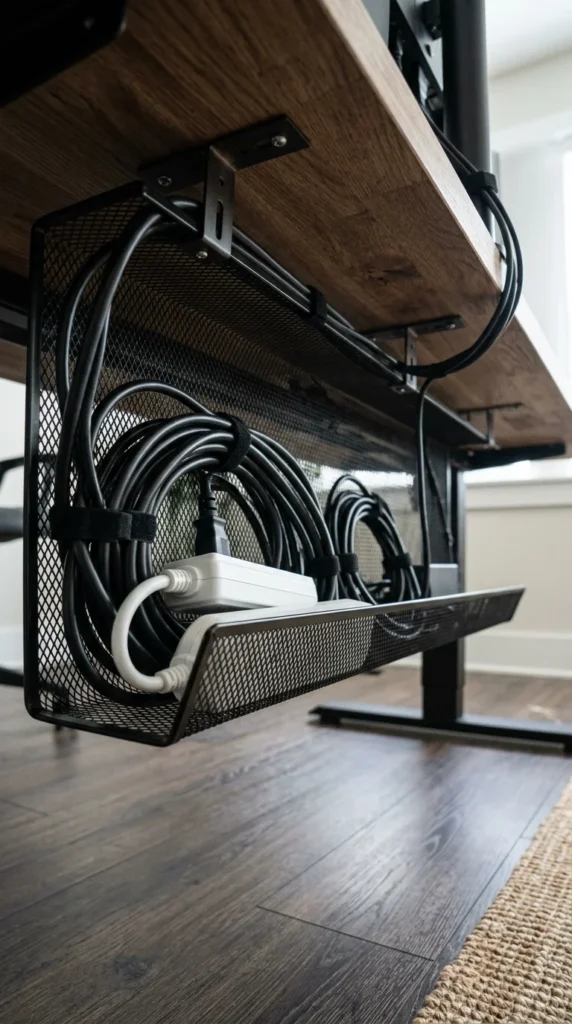
The wire mesh tray is the industry standard for a reason. Its open-air design provides maximum ventilation, which is crucial if you are housing large power bricks that tend to run hot. Because the mesh is full of holes, you can use zip ties or Velcro straps to anchor specific cables to any point on the tray, ensuring that nothing slides around when you move your desk. It’s a rugged, functional choice that works perfectly for heavy-duty setups.
2. Privacy Screen
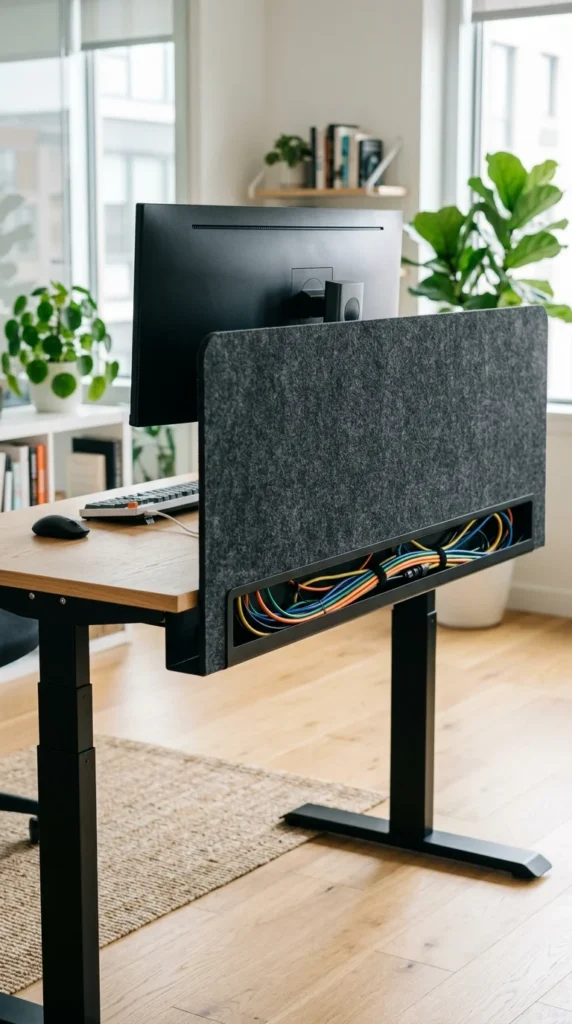
Why stop at cable management when you can also gain a bit of privacy? Some cable trays are integrated into rear privacy screens. These are typically made of felt or perforated metal and clip onto the back of the desk. They serve a dual purpose: they block the view of the unsightly mess under your desk from the rest of the room and provide a deep trough where power strips and excess cord lengths can rest out of sight.
3. J-Channel
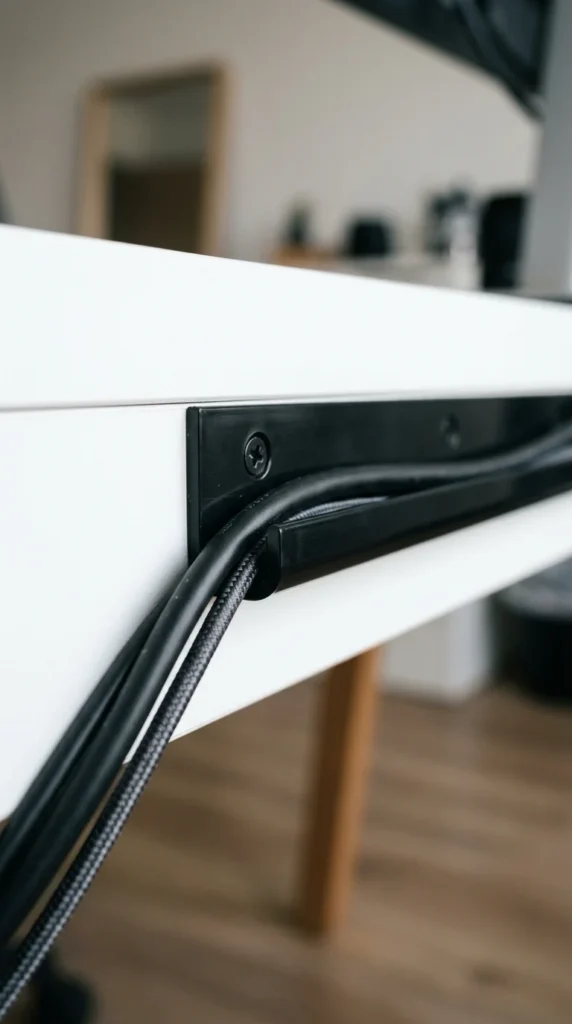
If you have a shallow desk or prefer a low-profile look, the J-channel is a minimalist’s dream. This is a simple, J-shaped strip of plastic or metal that usually adheres to the underside or the back edge of the desk. It doesn’t hold large power strips, but it is perfect for routing individual cables along a specific path. It’s an excellent way to guide cables from one side of the desk to the other without them sagging or dangling.
4. Metal Rail
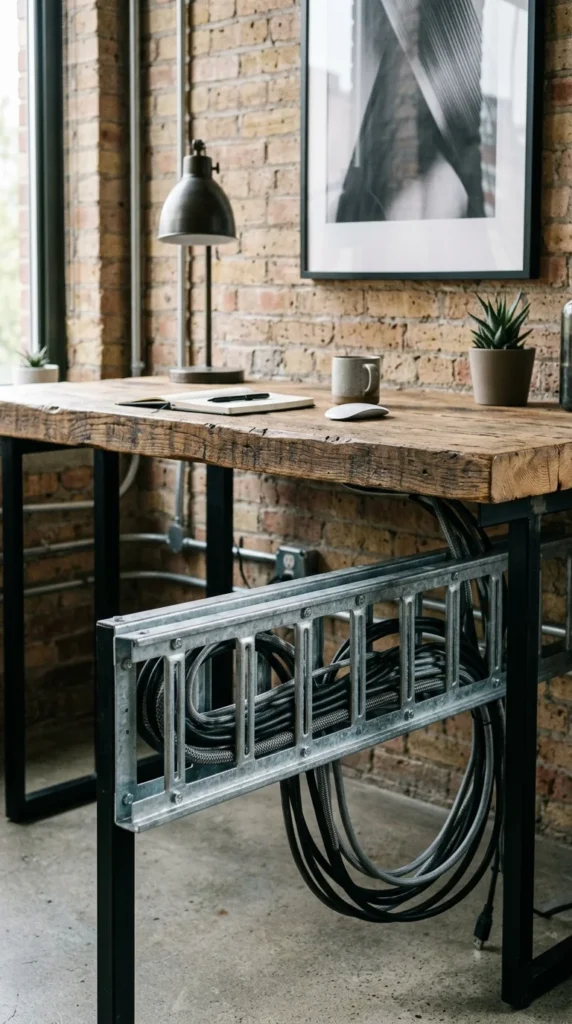
For those who love the industrial aesthetic, a metal rail system offers a sturdy and stylish solution. These are often made of powder-coated steel and feature wide gaps between the “rungs.” They are incredibly durable and can support the weight of multiple heavy power bricks. The open design makes it incredibly easy to “thread” cables through the rail, keeping them taut and organized.
5. Fabric Hammock
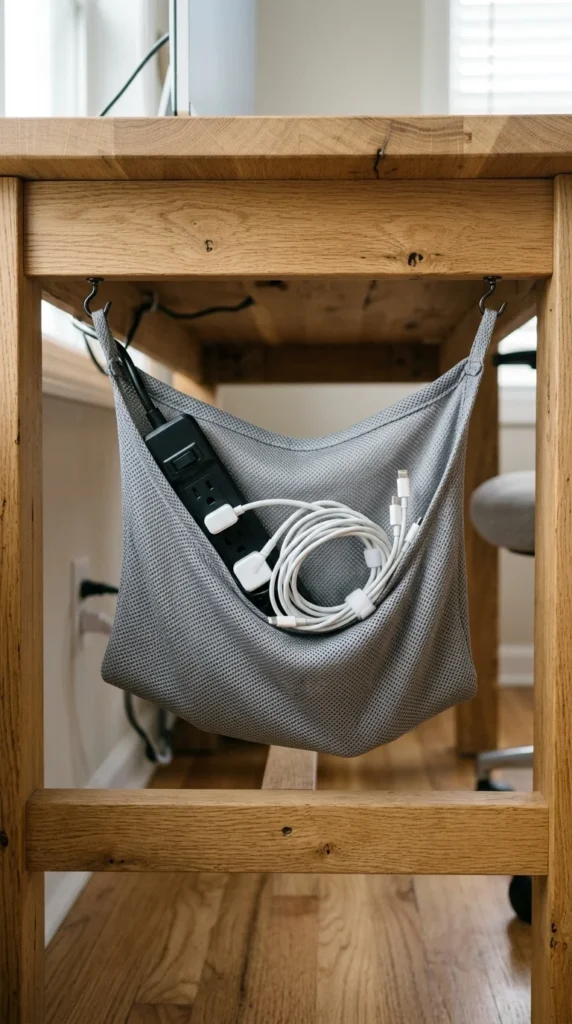
Sometimes, a rigid metal tray feels too harsh for a cozy home office. Enter the cable hammock. Usually made of reinforced mesh or heavy-duty fabric, these slings attach to the bottom of the desk and “cradle” your cords. They are incredibly forgiving; you can just toss your cables in and let the fabric hide the chaos. Because they are flexible, they can accommodate oddly shaped items that might not fit in a standard tray.
6. Sliding Tray
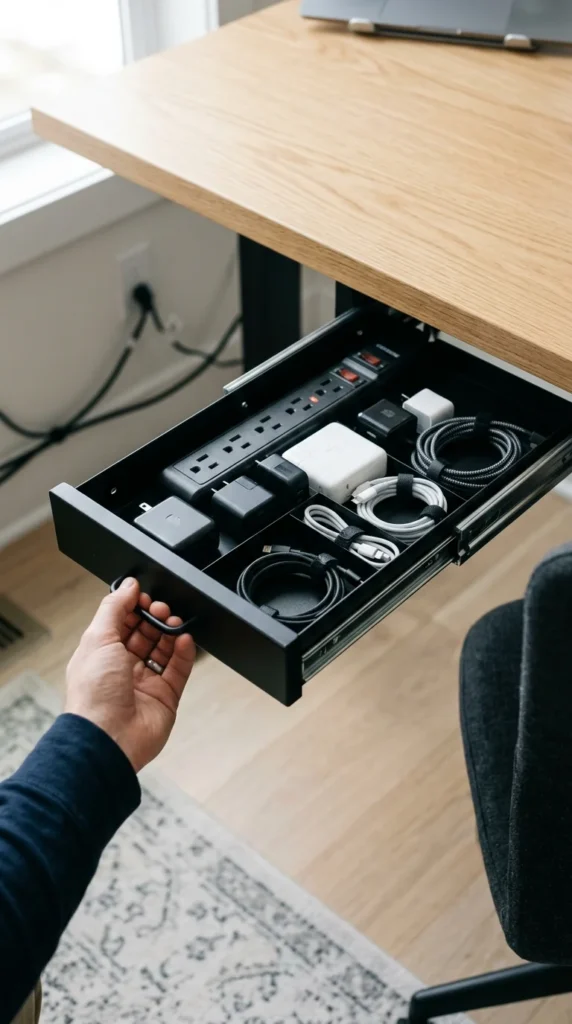
Access is everything. If you are someone who frequently swaps out peripherals or chargers, a sliding cable tray is a game-changer. These trays are mounted on tracks, allowing you to pull the entire assembly toward you when you need to plug something in, and then slide it back out of sight when you’re done. It eliminates the need to crawl under your desk every time you get a new gadget.
7. Magnetic Mount
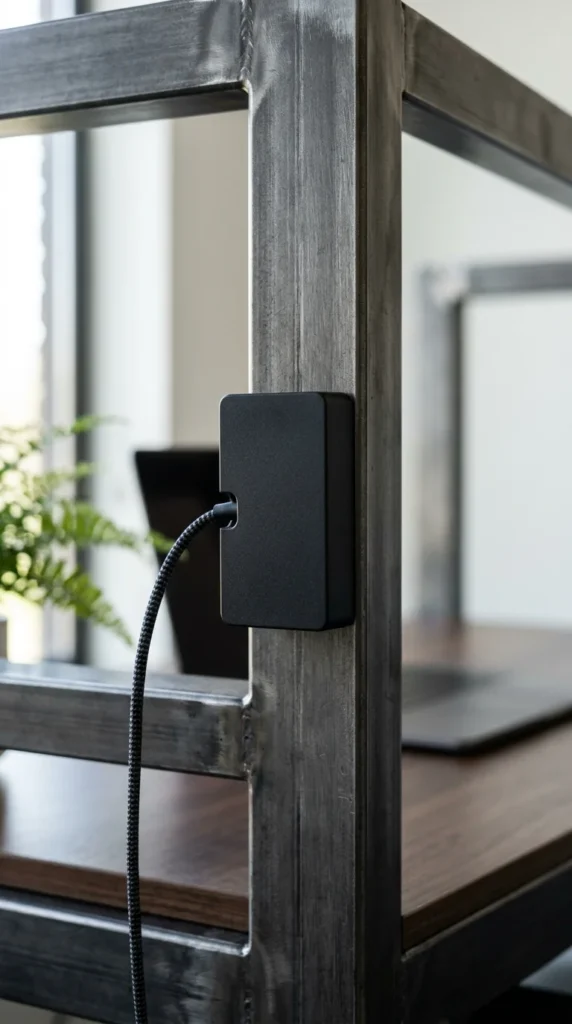
If you have a desk with a metal frame, like many standing desks, you should take advantage of magnets. Magnetic cable trays or channels snap directly onto the frame without the need for drilling or adhesive. They are incredibly easy to reposition as your setup evolves. This is the ultimate “damage-free” solution for renters or anyone who doesn’t want to put holes in their expensive furniture.
8. Wooden Box
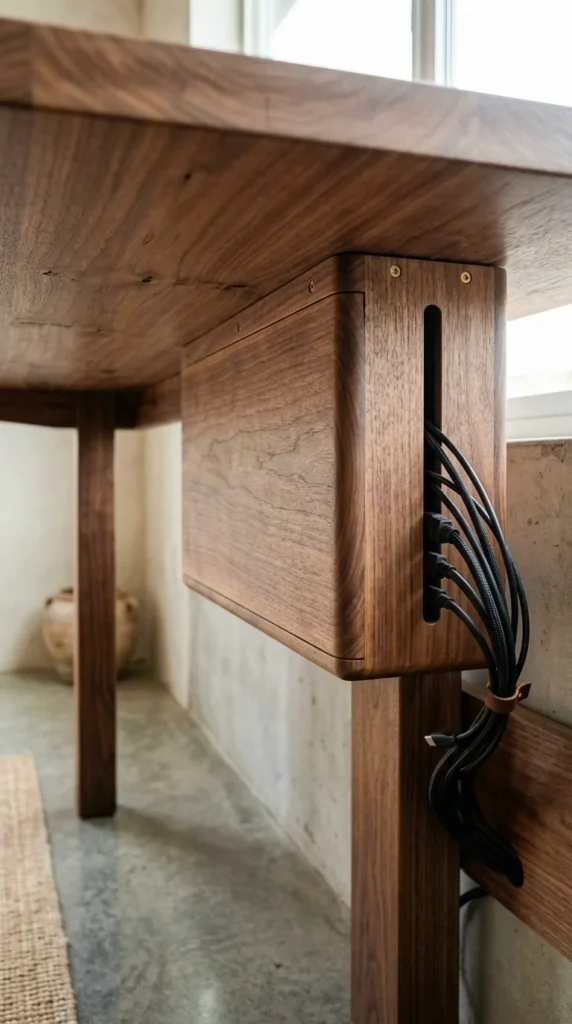
For the high-end office, a plastic or metal tray might ruin the vibe. A custom or pre-made wooden cable box can be mounted directly to the underside of your desk. These often feature magnetic lids or sliding panels. When closed, it looks like a natural part of the desk’s construction. It’s the most sophisticated way to hide a power strip and the “nest” of wires that usually accompanies it.
9. Clamp-On
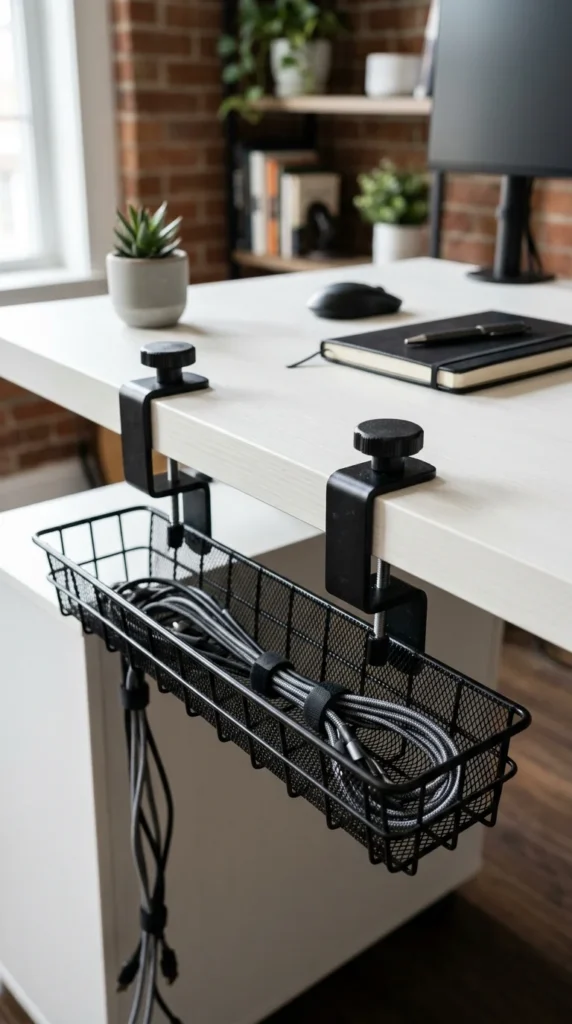
Not everyone is comfortable taking a drill to their desk. Clamp-on trays are the perfect “no-tools-required” solution. They use C-clamps to grip the edge of the desk, suspending the tray behind or beneath the work surface. They are incredibly sturdy and can be moved in seconds. This is a favorite for students in dorm rooms or professionals using temporary workstations.
10. Perforated Steel
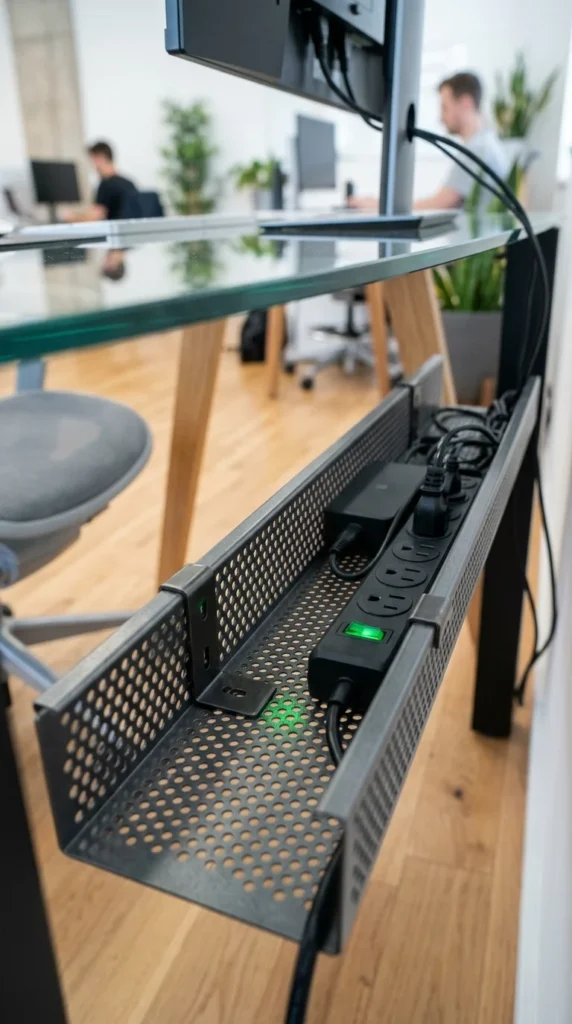
Perforated steel trays offer the perfect middle ground between the openness of wire mesh and the sleekness of a solid tray. The small holes provide plenty of airflow and countless points to anchor cables with ties, while the solid feel of the steel prevents smaller items (like thin USB-C cables) from slipping through. It’s a clean, professional look that fits in any modern office.
11. Modular Links
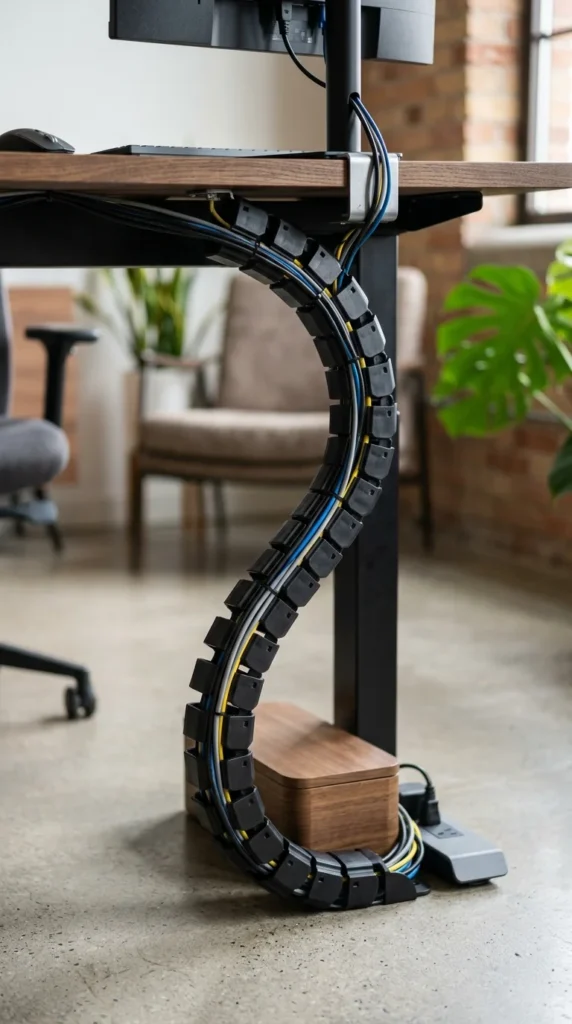
If your desk is full of moving parts—like a sit-stand desk—you need something that moves with you. Modular links, often called “cable vertebrae,” allow the cable path to bend and flex. While these are often used for vertical management, they can also be used under the desk to create a customized, winding path for your wires, ensuring they never get pinched or pulled too tight.
12. Cable Spine
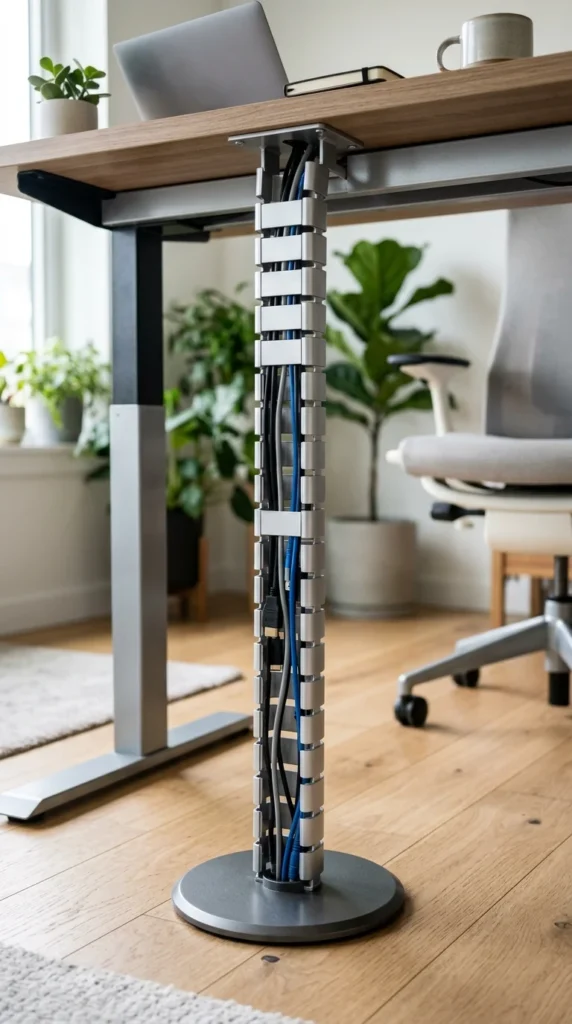
The cable spine is the big brother to modular links. It is designed specifically to handle the transition from the desk surface to the floor. Underneath the desk, the top of the spine acts as a collection point where all your tray-managed cables meet before being funneled down to the wall outlet. It turns a hanging “tail” of wires into a sleek, architectural element.
13. Felt Organizer
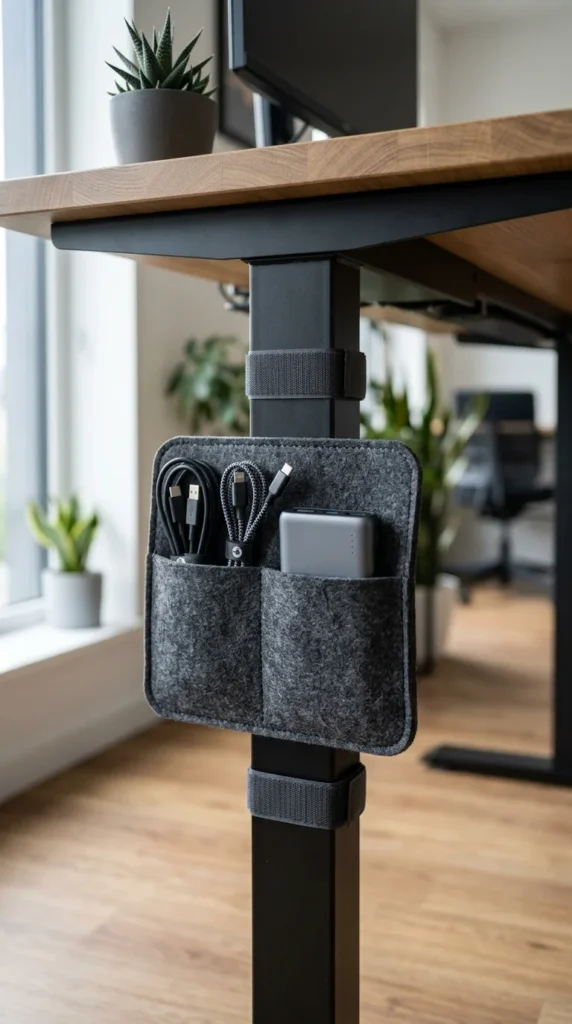
For a softer, more tactile approach, felt organizers are becoming increasingly popular. These are often designed as pockets or wraps that snap around desk legs or attach to the underside. Felt is naturally non-slip, meaning your cables will stay put, and it adds a touch of “warmth” to a tech-heavy environment. It’s particularly effective for managing light cables like phone chargers and headphones.
14. Integrated Grommet
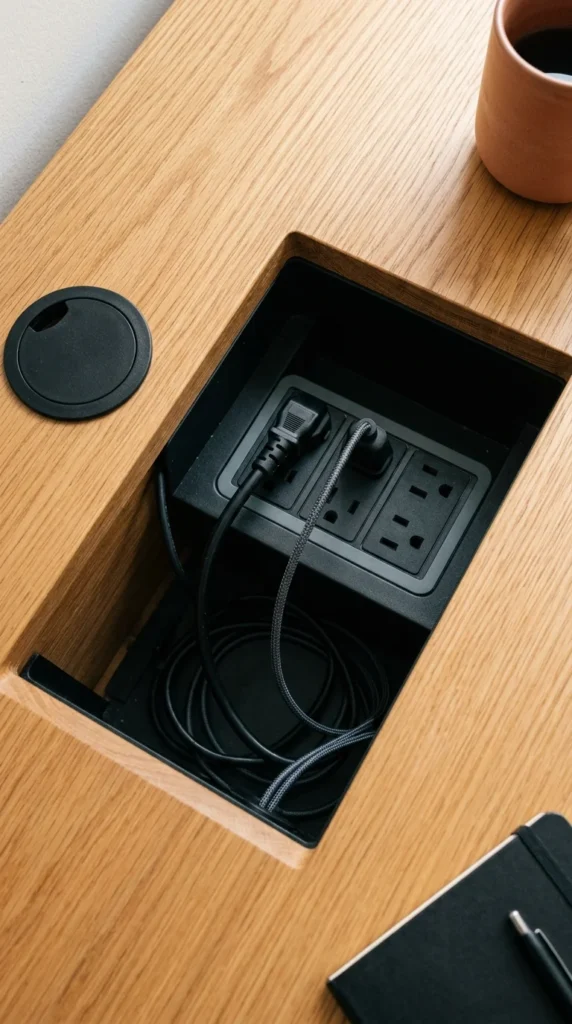
The cleanest cable management is the one you can’t see at all. Some high-end desks come with integrated cable trays built directly into the frame. These are accessed via grommet holes on the desk surface. If you are building a custom desk, you can buy “trough” kits that allow you to drop your cables straight through the desk into a hidden compartment underneath.
15. PVC Pipe
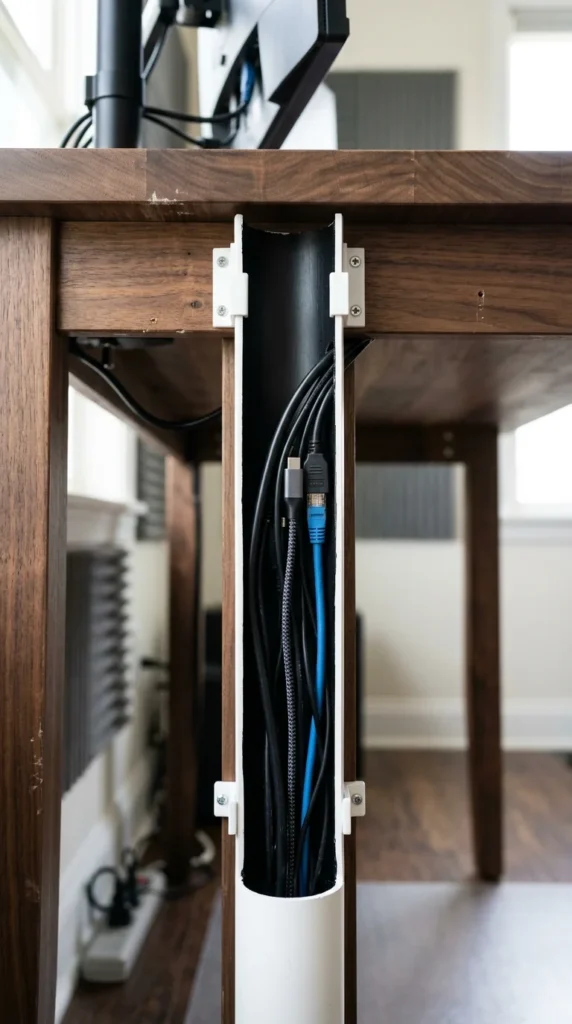
For the DIY enthusiast on a budget, a PVC pipe can be transformed into a fantastic cable tray. By cutting a large diameter pipe in half or cutting a wide slit along its length, you create a smooth, rounded channel that can be spray-painted to match your desk. It’s incredibly cheap, customizable to any length, and provides a very clean, rounded look that hides cables completely.
16. Expandable Tray
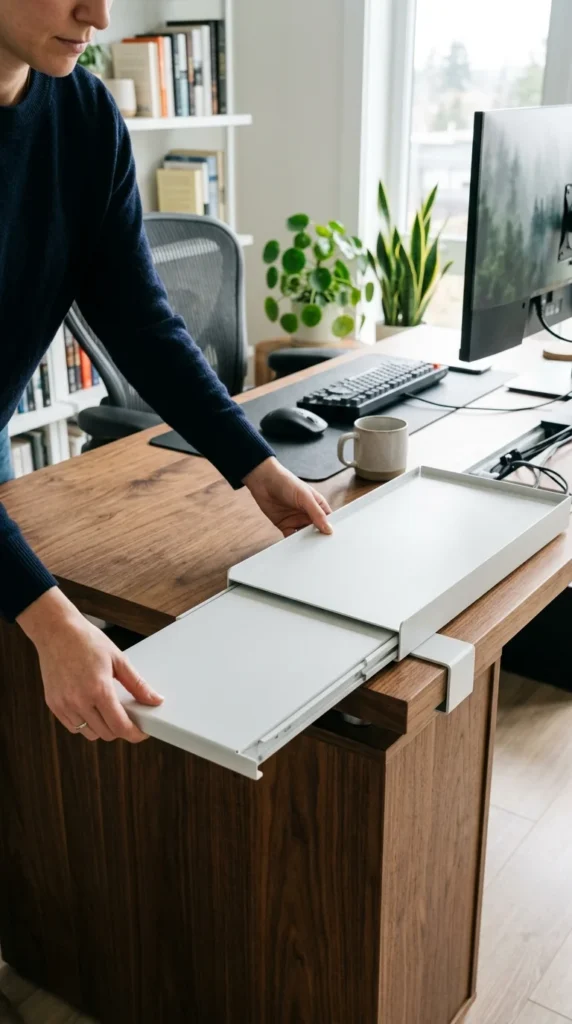
If you have a very long desk, a standard 24-inch tray might not cut it. Expandable trays feature a telescoping design that allows you to adjust the length to fit your specific needs. This is perfect for “evolving” setups where you might start with a laptop but eventually add a desktop, two monitors, and a suite of studio speakers.
17. Color Matched

Don’t settle for “basic black” if your desk is white, wood, or even a bright color. Many manufacturers now offer cable trays in a variety of finishes. Matching the tray color to the underside of your desk makes the entire system “disappear.” When the tray blends in with the shadow and the color of the furniture, the result is a breathtakingly clean aesthetic.
18. Dual Tier
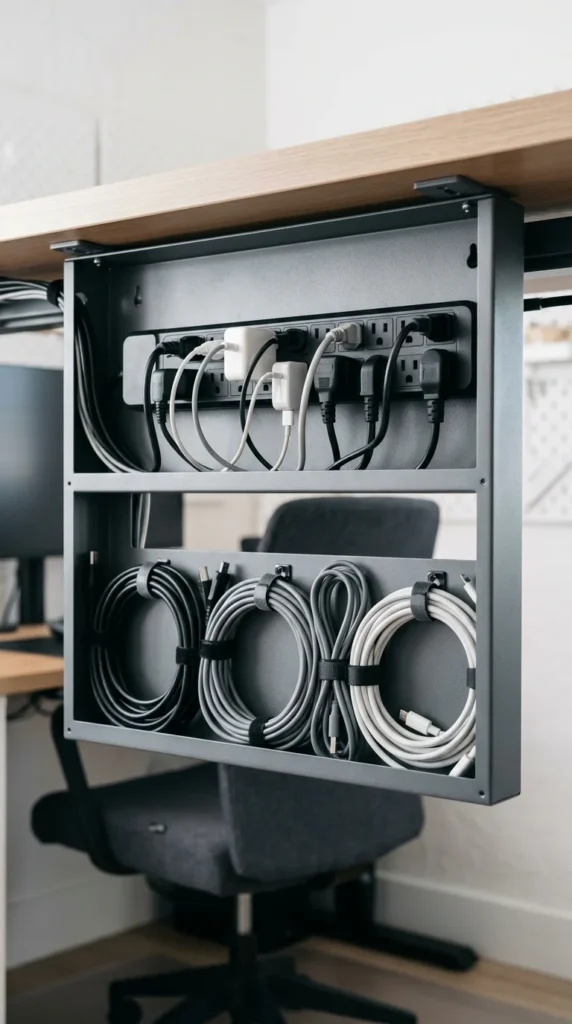
For the power user, a dual-tier tray is the ultimate organization tool. These trays feature two levels: one for the power strip and another for the excess cable lengths. This separation prevents a giant “knot” of wires from forming and makes it much easier to identify which cord goes to which device if you ever need to troubleshoot.
19. Under Shelf
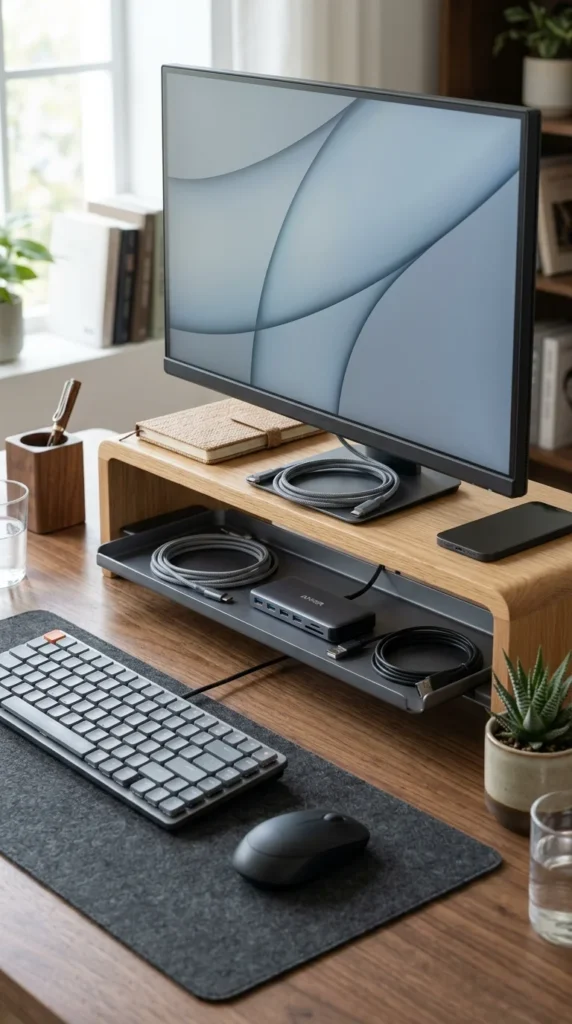
If you use a monitor riser or a desk shelf, you have a “hidden” layer of real estate. Installing a shallow tray directly under the shelf allows you to manage the cables for your keyboard, mouse, and monitors before they even reach the main desk surface. This keeps the visible area of your desk completely clear, giving you more room to work and a much more streamlined look.