
A laptop is designed to be portable, and everything about its shape involves a compromise. The screen and the keyboard are fixed together, a hand’s width apart. That creates an impossible choice at a desk: put the laptop low enough for comfortable typing and your head bends down toward the screen for hours, or raise the screen to eye level and type with your hands floating up at chest height and your shoulders shrugged. Most people choose the first option without ever deciding to, and their neck and shoulders report the result every evening.
The fix is not to abandon the laptop. It is to separate the two jobs it forces together, in the right order, starting with one affordable change that makes the biggest difference.
Quick Answer
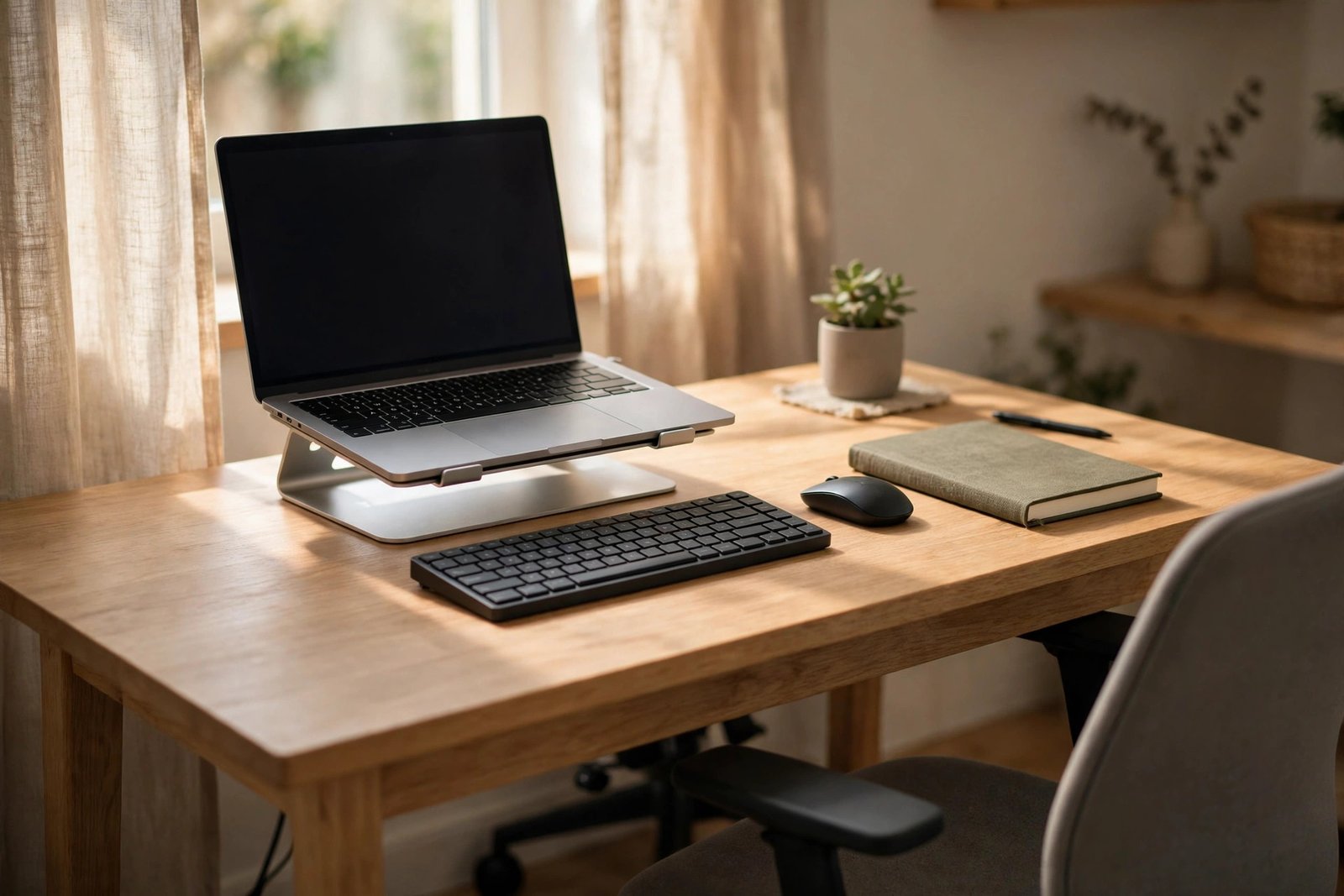
If a laptop-only setup is hurting your posture, add things in this order: first, raise the laptop on a stand or a stable stack so the screen sits near eye level; at the same time, add a separate keyboard and mouse so your hands can stay low and relaxed; then check your chair support and your feet. A separate monitor is a welcome upgrade later, but the stand, keyboard and mouse solve the core problem.
- The problem is one device doing two jobs at two heights.
- Raise the screen, keep the keyboard low: you need both changes together.
- A stand plus keyboard and mouse comes before a new monitor.
- Then check your chair and feet to complete the setup.
Why One Device Cannot Sit at Two Heights
Your eyes and your hands want the laptop in two different places. Your eyes want the screen roughly at eye level, about an arm’s length away. Your hands want the keyboard low, near lap height, with your elbows resting at a comfortable right angle and your shoulders down. On a desk, those two positions differ by a good stretch of height, and a laptop can only be in one of them.
So a laptop-only desk day usually means a lowered head, rounded shoulders and a neck that holds the same bent position for hours. It is no surprise that people describe the feeling as their posture collapsing by mid-afternoon. Nothing is wrong with your discipline; the geometry of the device is working against you, and geometry is fixable.
First Addition: Raise the Screen
The single biggest improvement is lifting the laptop so the top of the screen sits around eye level when you sit tall. A laptop stand does this neatly, but a stable stack of large books, a sturdy box, or a small shelf works just as well for testing and often for good. What matters is stability: the laptop must not wobble, slide, or run hot because its vents are blocked.
Our guide on a monitor at the wrong height explains how to judge the right screen position and distance, and the same rules apply to a raised laptop screen. Sit back in your chair, look straight ahead, and set the screen so your natural gaze lands near its top third, with the whole screen close enough that you are not leaning forward to read.

Second Addition: A Separate Keyboard and Mouse
Raising the laptop without adding a keyboard simply swaps one problem for another: now your eyes are happy and your hands are typing uphill. A separate keyboard and mouse, placed at comfortable elbow height, are what make the raised screen usable. They do not need to be fancy. They need to let your wrists rest in a neutral, fairly flat position and your shoulders stay relaxed.
Position the keyboard directly in front of you, close enough that you are not reaching, and keep the mouse beside it at the same height so your arm does not drift outward all day. Our guide on desk setup changes that help with wrist pain from typing goes deeper on keyboard angle, mouse position and resting your hands, and it pairs naturally with the changes in this article.
Fitting It All on a Small Desk
A raised laptop, a keyboard and a mouse sound like a lot of equipment, but the footprint is smaller than you might expect. The laptop on a stand actually takes up less desk depth than a laptop lying flat, because the keyboard moves out from under the screen and onto the desk where your hands already were. A vertical laptop stand with a separate monitor uses even less space, but that is an upgrade, not a requirement.
If your desk is genuinely small, our guide to a small desk setup that still fits a monitor, laptop and notebook lays out how to arrange exactly this combination, including where the notebook and cables go, without the surface feeling crowded.
Then Check the Rest of the Chair Setup
With the screen up and your hands down, finish the picture. Sit back so the chair’s backrest supports you rather than perching on the front edge. Your feet should rest flat on the floor or on a footrest, and your elbows should hang comfortably rather than being held up by your shoulders. These are small checks, but a raised screen changes your sitting position, and the rest of the setup needs to be re-checked against the new position, not the old hunched one.
Also set a simple movement habit. A better setup makes long sessions more comfortable, but no position, however good, is meant to be held all day. Stand, walk, and stretch briefly at natural breaks in your work.
One calm note: desk changes help with everyday stiffness from a poor setup, but if you have ongoing neck, back or arm pain, pain that travels down an arm, or numbness or tingling in your hands, talk to a doctor or physiotherapist rather than relying on equipment changes alone.
Working Away From the Desk
Many laptop aches are earned on sofas, beds and kitchen tables rather than at the desk. As an occasional change of scene, those spots are fine. As a daily habit, they almost guarantee a folded position: no back support, screen in your lap, head down. If you like working away from your desk, take the portable version of the fix with you: raise the laptop on a cushion or books, and if you work there for more than a short spell, use your separate keyboard on your lap or a low table so your screen can stay up where your eyes want it.
Mistakes to Avoid
- Raising the laptop without a separate keyboard. Typing uphill with shrugged shoulders trades neck strain for shoulder and wrist strain.
- Perching the laptop on an unstable stack. A wobbling, sliding laptop is a fall waiting to happen; use a stand or a solid, level base with vents clear.
- Setting the raised screen too close. A screen at the right height but almost touching your nose still makes you lean and squint; keep it about an arm’s length away.
- Buying a large monitor before fixing the basics. A new screen on the same desk with the same chair and no keyboard changes nothing about your posture.
- Working from the sofa every day. Lap-level screens and no back support fold your body in half; save it for short sessions.
Frequently Asked Questions
What should I add to a laptop-only setup first?
A way to raise the laptop and a separate keyboard and mouse, together. Either one alone leaves half the problem in place. A stand and a basic keyboard and mouse are enough to transform the setup; everything else is refinement.
Can I just use a stack of books as a laptop stand?
Yes, if the stack is stable, level, and does not block the laptop’s vents. Many people use books or a sturdy box for months. Choose a stand later if you want easier height adjustment or a tidier desk.
Do I need a separate monitor as well?
Not for posture. A raised laptop screen at the right height and distance does the same job for your neck as a monitor. A separate monitor becomes worth it for screen size, working with many windows, or keeping the laptop closed in a vertical stand on a small desk.
Is a laptop stand enough on its own?
No, because the stand lifts the keyboard along with the screen. Without a separate keyboard and mouse, you will type with raised hands and shrugged shoulders. The stand and the keyboard are two halves of one fix, and they only work together.
Conclusion
Your laptop is not the enemy; its single fixed height is. Raise the screen to your eyes, bring your hands down to a keyboard of their own, fit it all onto the desk you have, and re-check your chair and feet in the new position. Those few changes turn a portable compromise into a desk setup your neck and shoulders can live with all week.

1 thought on “Laptop-Only Setup Is Hurting Your Posture: What to Add First”