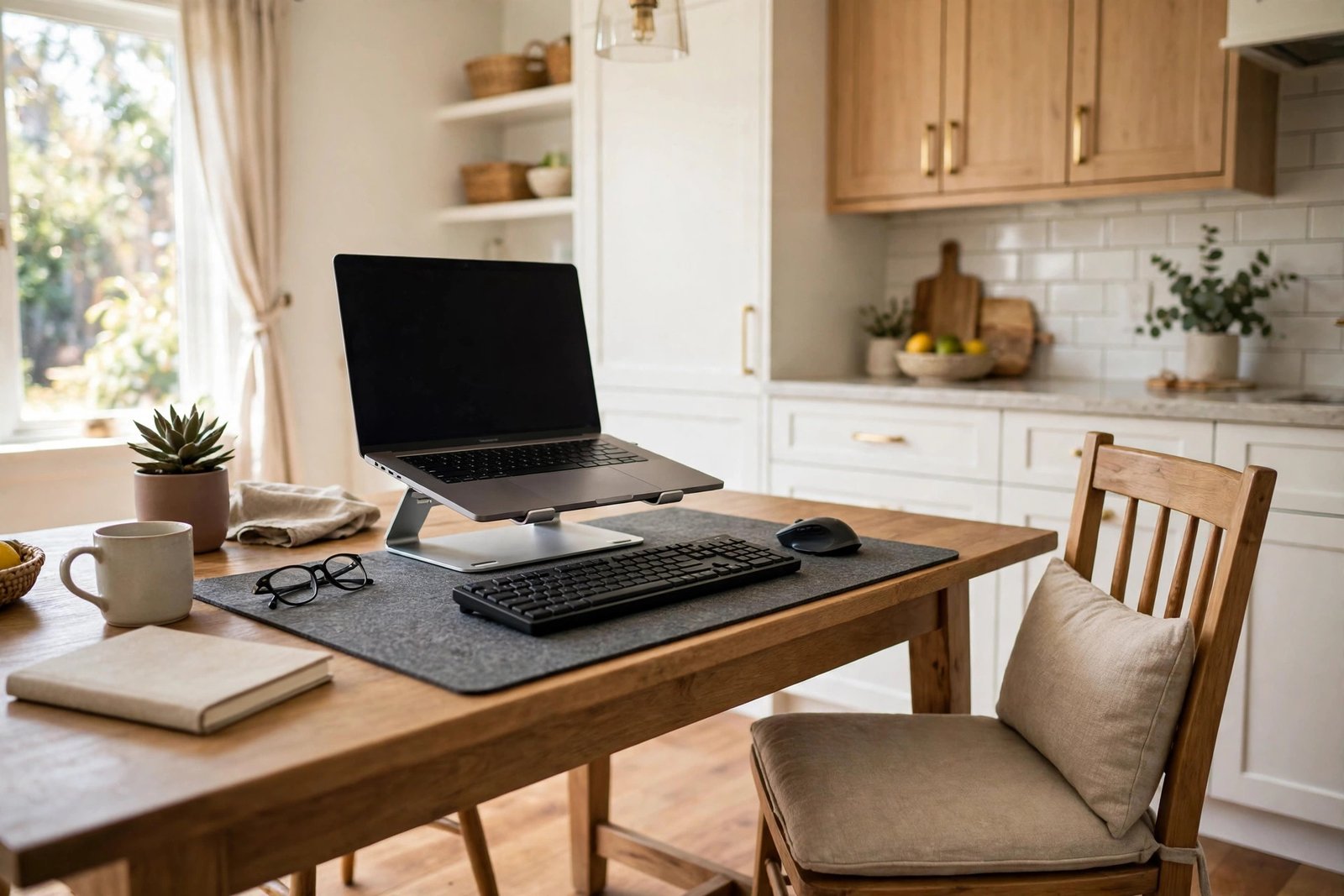
Working from the kitchen table is the reality for millions of home workers, and it is easy to see why: the table is there, it is big, and the light is often the best in the home. But by the end of a working week on a dining chair, most people have the same complaints — an aching back, a stiff neck, a table that never stops being a workplace, and a daily battle with cables, crumbs, and clearing up before dinner.
The kitchen table will never be a purpose-built desk, but it can be a comfortable one. Almost every problem comes from four fixable things: the height mismatch between table and chair, an unsupportive dining chair, unmanaged light and cables, and the lack of a clean pack-away system. Fix those four, and the table stops feeling like a compromise.
Quick Answer
To make working from the kitchen table comfortable, fix the heights first: raise your chair or yourself with a firm cushion until your elbows rest level with the table, support your feet if they dangle, and lift your screen to eye level. Add a cushion or rolled towel behind your lower back. Keep cables in one box, work on a mat that defines your zone, and pack everything into a single basket or crate at the end of the day so the table becomes a table again.
- Kitchen tables are usually higher than desks; your chair has to make up the difference.
- A dining chair needs help: back support and a firmer, higher seat.
- One crate that holds the whole setup makes daily setup and pack-away take minutes.
- A mat or runner under your work zone protects the table and marks where work ends.
Fix the Height Gap Between Table and Chair
The root of most kitchen-table discomfort is simple geometry. Dining tables are usually built a little higher than office desks, and dining chairs a little lower than office chairs. The result is a double mismatch: your elbows end up below the table surface, your shoulders creep up toward your ears as you type, and by lunchtime your neck and forearms ache.
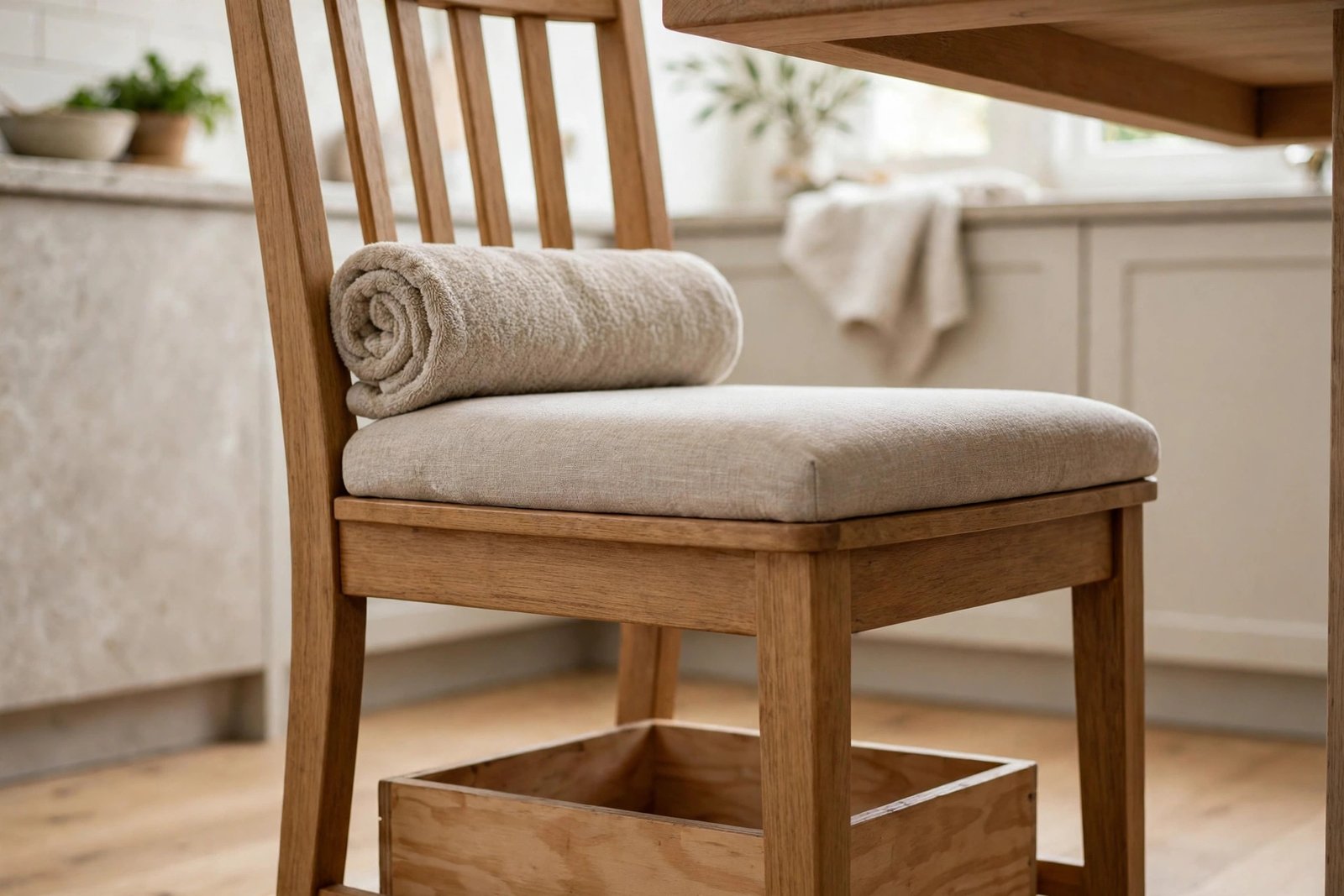
Fix it from the chair up. Sit so your elbows rest at roughly table height with your shoulders relaxed: most people need a firm cushion — a proper seat pad or a folded blanket, not a soft pillow that collapses — to gain the missing centimetres. Then check your feet. If raising the seat leaves your feet dangling, put a stable support under them: a low box, a footrest, or a sturdy stack of books. Dangling feet pull on your back all day. Our guide to what to do when your feet do not reach the floor at your desk covers the options in detail.
Finally, check the table against the guidance in our guide to a desk that is too high or too low: forearms roughly level, screen an arm’s length away. Kitchen tables are deep, which helps — push the screen back rather than perching at the edge.
Make a Dining Chair Support Your Back
Dining chairs are designed for a one-hour meal, not an eight-hour day. They tend to be upright, hard, and either straight-backed or curved in a way that leaves your lower back floating unsupported. Your muscles then hold you upright unaided, which is tiring work that shows up as a deep ache by mid-afternoon.
Two additions transform most dining chairs. First, the seat cushion already mentioned, which firms up the seat and raises you to working height. Second, back support: a small cushion or a rolled towel placed in the curve of your lower back, so your spine can rest against something instead of hovering. Sit back into the chair rather than perching on its front half, and keep both feet supported.
If several chairs are available, choose the sturdiest one with the flattest seat and the most upright back, and keep it as your work chair rather than rotating. And build standing moments into the kitchen layout: a counter or a high shelf where you can read or take a call standing up gives your back a genuine break without leaving the room.
Raise the Screen and Manage Kitchen Light
A laptop flat on a kitchen table is far too low: you spend the day looking down at a steep angle, and your neck pays for every hour. Raise the laptop on a stand, a crate, or a stable stack of large books so the screen’s top is near eye level, and add a separate keyboard and mouse at table height. This single change does more for kitchen-table comfort than anything else in this guide.
Kitchens are bright rooms, which is a gift and a trap. Natural light is wonderful, but a screen facing a window or with a window directly behind it means glare and reflections all day. Sit so the main window is to your side. If your only seat puts a window behind the screen, a blind or curtain drawn during the brightest hours keeps your eyes comfortable without darkening the room.
In the evening, kitchen downlights can be harsh and shadowy over a table. A small lamp at the side of your work zone softens the light on your screen area and makes late sessions far easier on the eyes.
One Box for Cables, Chargers and Clutter
A desk hides its cables underneath. A kitchen table has nowhere to hide anything, so chargers, cables, headphones and notebooks spread across the shared surface — and every mealtime starts with an irritated sweep of work gear to one end. The answer is to treat the whole setup as portable and give it one container.
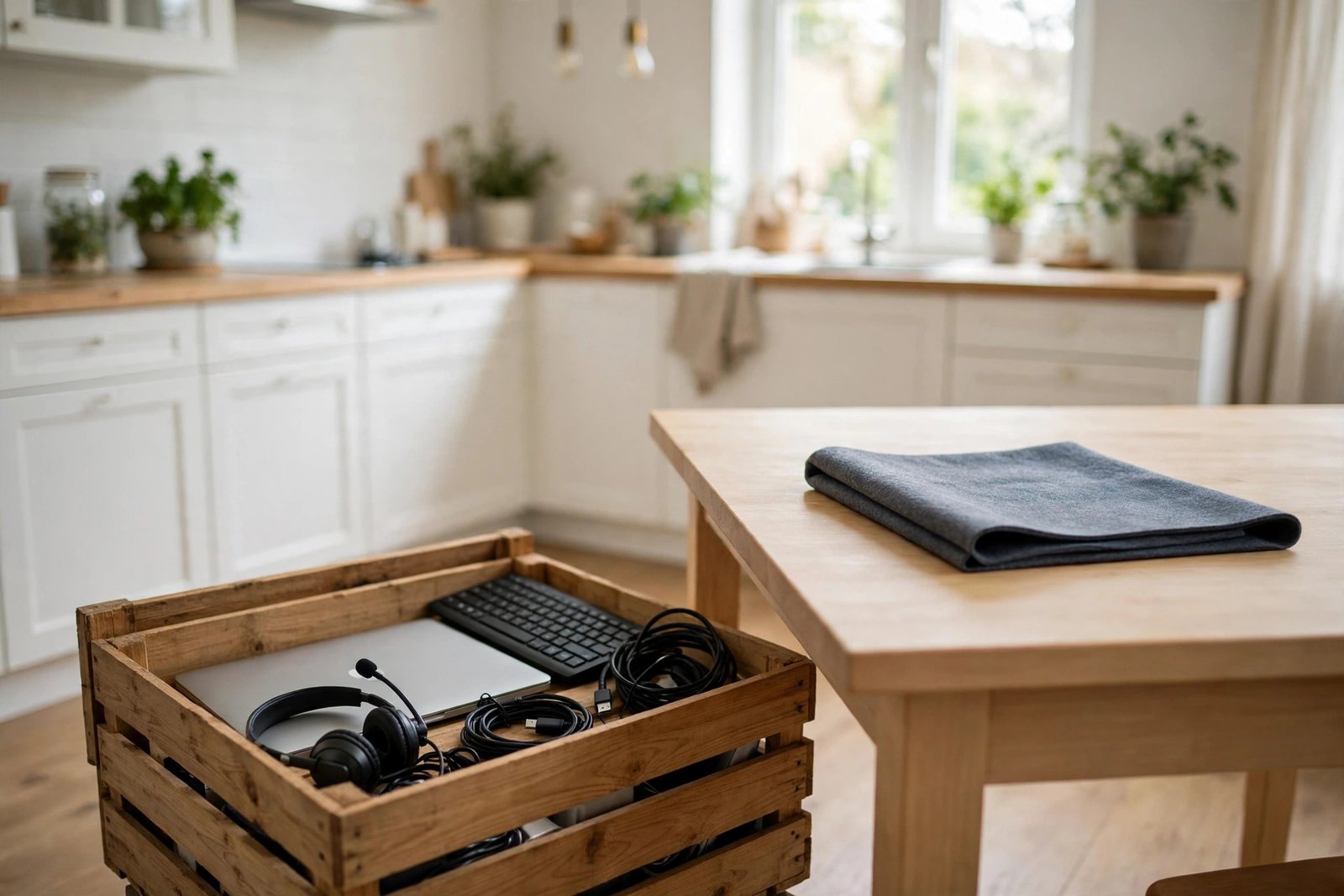
Choose a basket, crate, or lidded box large enough to hold your laptop or stand, keyboard, mouse, headset, chargers and notebook. Everything work-related lives in the box when you are not working, and during the day the box sits on a spare chair or under the table, holding the spare cables and charger so they never wander. Run one power lead to the table and coil it back into the box at night, rather than leaving a web of cables across a room people walk through with hot pans and full glasses.
Space thinking like this matters doubly in a kitchen, where storage is already spoken for. If your home generally has nowhere for work things to live, the ideas in our guide to a small office with no storage will help beyond the table itself.
Protect the Table and Keep Mealtimes Sacred
Work on a defined zone: a large desk mat, a table runner, or a washable placemat under your laptop and notebook area. The mat does three jobs. It protects the table from scratches, rings, and pen marks — important if the table is good furniture or you rent. It gathers your work into one visible patch, so the setup never creeps across the whole surface. And it makes pack-away instant: everything sits on one mat, and the mat’s edge is the boundary of the working day.
That boundary matters beyond tidiness. When work visibly lives on the kitchen table around the clock, the room stops feeling like a place to eat and relax, and the workday never quite ends. Pack the box, clear the mat’s contents, and eat dinner at a table that shows no sign of the office.
Food and work need one more small rule between them: crumbs and spills are a laptop’s worst enemies. Eat meals — as opposed to a cup of tea — away from the work zone, even if that means the other end of the same table with the mat cleared, and keep drinks on a coaster off the mat’s edge.
Mistakes to Avoid
- Sitting at dining height with no adjustments. Low chair plus high table means raised shoulders and an aching neck by lunch. Raise the seat, support the feet.
- Working on a flat laptop all day. The low screen bends your neck for hours. Raise it and use a separate keyboard and mouse.
- Perching on the edge of the chair. Sit back and give your lower back something to rest against — a cushion or rolled towel changes the whole day.
- Leaving the setup out permanently. A table that is always an office makes the kitchen feel like work around the clock and causes friction at every meal.
- Letting cables trail across the kitchen. It is untidy at a desk; in a kitchen it is a trip hazard near hot food. One box, one lead, coiled away nightly.
- Eating lunch over the keyboard. Crumbs and spills kill laptops. Keep food at the far end of the table or away from the work zone entirely.
Frequently Asked Questions
How can I make a hard dining chair comfortable for a full day?
Add a firm seat cushion to raise and soften the seat, place a small cushion or rolled towel behind your lower back, sit back rather than perching, and make sure your feet rest flat on the floor or a support. With those three changes, most sturdy dining chairs become workable for a full day — though standing up regularly still matters.
Is a kitchen table too high for laptop work?
It is usually a little high relative to a dining chair, which is why the fix starts at the chair: raise yourself until your elbows sit level with the surface and your shoulders can relax. The table height itself rarely needs changing; your seat height and your screen height do.
Where should I put my work things in a small kitchen?
In one lidded box or basket that lives on a chair, under the table, or on top of a cupboard when not in use. One container is the whole system — if work gear has several homes around the kitchen, it will spread. Choose a box big enough for everything, including the charger and headset.
How do I keep work from taking over family mealtimes?
Work on a mat that defines your zone, pack everything into its box at the end of the day, and keep the rule that meals happen at a cleared table. The physical pack-away takes two minutes and is what keeps the boundary real for everyone in the home.
Conclusion
A kitchen table becomes a comfortable office when you fix the things that actually cause the discomfort: raise yourself to the table’s height, support your back and feet, lift the screen to your eyes, sit side-on to the window, and keep the whole setup in one box that packs away in minutes. The table can then do both of its jobs — a proper workspace by day, and a kitchen table again by dinner.